
Our reports are full of numbers, but managers still can’t see what matters. How do we fix that?
Turn the data into a one-page dashboard that answers the business question. Many teams already have the right data in Excel but present it as long tables and crowded sheets, so managers miss the trends, variances and exceptions. Excel Dashboard Training from College Africa Group is a practical one-day course that teaches experienced Excel users to build clear, easy-to-update management dashboards.
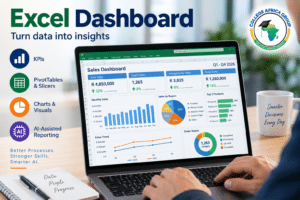
This course shows delegates how to combine existing Excel skills with dashboard formulas, charts, PivotTables and modern AI assistance to create practical business dashboards.
The course is deliberately hands-on. Delegates work through a formula-driven dashboard, a small interactive PivotTable dashboard and an AI-assisted reporting exercise.
Duration: One day
Typical training time: 09h00–15h30
Delivery: Onsite corporate training or live virtual instructor-led training
Level: Experienced Excel users
What Problem Does Excel Dashboard Training Solve?
Business teams often spend considerable time producing spreadsheets without giving decision-makers a clear view of what the information actually means. Reports may contain hundreds or thousands of rows, multiple worksheets and numerous calculations, while the important management information remains difficult to identify.
An Excel Dashboard brings the important information together in a clear visual report. Instead of asking a manager to work through the underlying data, the dashboard can highlight key performance indicators, trends, variances and exceptions in one place.
This course focuses on that practical workplace problem: how do you turn existing Excel data into a management report that is accurate, easy to understand and easy to update?
Who Should Attend Excel Dashboard Training?
This course is designed for employees who already use Excel regularly and are responsible for preparing, analysing or presenting business information.
- Finance and accounting professionals
- Business and data analysts
- Managers and supervisors
- Sales and marketing teams
- HR professionals
- Project managers
- Operations and production teams
- Administrators responsible for management reporting
Download the Excel Dashboard Table Of Contents
Excel Dashboard Course Prerequisites
This is a practical dashboard-building course and does not teach core Excel skills from the beginning.
Delegates should already be comfortable with:
- Excel Tables
- IF
- SUMIF and COUNTIF
- Sorting and filtering
- PivotTables
- Standard Excel charts
These skills are applied during the course rather than retaught in detail. Additional techniques required for the dashboard exercises, including SUMIFS, COUNTIFS, IFERROR and selected variance calculations, are introduced during the practical exercises.
Employees who are uncertain about their current Excel level can complete the College Africa Group Excel Skills Assessment before training.
Excel Dashboard Training – Table of Contents
1. Understanding Excel Dashboards
- What is an Excel Dashboard?
- Dashboard versus standard business report
- Identifying the audience
- Understanding the business question
- Selecting meaningful key performance indicators
- Planning a clear one-page dashboard
2. Preparing Data for a Dashboard
- Structuring source data correctly
- Working with Excel Tables
- Separating source data, calculations and dashboard output
- Checking data before creating the report
- Preparing information for formulas, charts and PivotTables
3. Useful Excel Dashboard Formulas
This is a short practical section rather than a separate advanced formula lesson. Delegates learn additional techniques while applying them to the dashboard exercise.
- SUMIFS
- COUNTIFS
- IFERROR
- Percentage calculations
- Variance calculations
- Connecting calculations to dashboard KPIs
4. Practical Exercise 1 – Formula-Driven Excel Dashboard
Delegates work with a supplied business dataset to build a practical formula-driven dashboard.
- Create KPI calculations
- Apply appropriate formulas
- Use Conditional Formatting
- Create suitable charts
- Apply effective number formats and labels
- Arrange the information into a clear one-page management dashboard
5. Quick PivotTable Dashboard
This section applies existing PivotTable knowledge to dashboard reporting. It is not intended to be a complete PivotTable course.
- Create a PivotTable from structured business data
- Summarise the information
- Create a PivotChart
- Add a slicer
- Filter the report interactively
- Arrange the output into a simple interactive dashboard
6. Practical Exercise 2 – AI-Assisted Dashboard
Modern AI tools can help experienced Excel users work through reporting problems more efficiently. In this exercise, delegates use an available AI assistant such as Microsoft Copilot or ChatGPT alongside Excel.
Depending on the AI technology available within the organisation, delegates explore how AI can assist with:
- Understanding a management reporting requirement
- Identifying possible KPIs
- Suggesting or explaining Excel formulas
- Troubleshooting formula errors
- Suggesting appropriate charts
- Analysing dashboard results
- Improving dashboard presentation
- Producing a concise management interpretation of the results
AI-generated suggestions must still be checked. Delegates remain responsible for validating calculations, data and reporting conclusions.
7. Dashboard Design and Final Review
- Keeping dashboards simple and readable
- Using colour appropriately
- Positioning KPIs and charts
- Using Conditional Formatting effectively
- Removing unnecessary information
- Checking calculations and source data
- Making the dashboard easier to update
- Ensuring the dashboard answers the original business question
What Will Delegates Build During the Course?
The emphasis throughout the day is on practical application rather than simply demonstrating Excel features.
Delegates work through three reporting approaches:
- Formula-driven dashboard: Use Excel formulas, KPIs, Conditional Formatting and charts to create a management report.
- Quick PivotTable dashboard: Use a PivotTable, PivotChart and slicer to create a simple interactive report.
- AI-assisted dashboard exercise: Use ChatGPT or Microsoft Copilot to assist with analysis, formulas, troubleshooting, visualisation and management interpretation.
This approach allows experienced Excel users to see different ways of solving the same fundamental workplace problem: converting business data into useful management information.
Real Workplace Applications of Excel Dashboards
The techniques can be adapted to many reporting environments, including:
- Sales performance and target reporting
- Financial and variance reporting
- Budget monitoring
- HR and workforce reporting
- Project status reporting
- Operations and production reporting
- Customer service performance
- Management KPI reporting
Excel Dashboards and AI-Assisted Reporting
AI changes how employees can approach Excel problems, but it does not remove the need for Excel knowledge.
An AI assistant can suggest a formula, identify possible KPIs or recommend a chart, but the employee still needs to understand the underlying data and determine whether the result is correct and appropriate for the business requirement.
For this reason, the AI component of this course is used as an assistant to the Excel user, rather than replacing the underlying Excel dashboard skills.
Organisations requiring more extensive AI skills can also consider ChatGPT for Business Training or Microsoft Copilot Training.
Excel Dashboard Training Across South Africa
College Africa Group provides instructor-led Excel Dashboard Training for corporate teams throughout South Africa. Training can be delivered onsite at the client’s premises or virtually using Microsoft Teams.
Corporate training is available in Johannesburg, Sandton, Midrand, Pretoria, Centurion, Cape Town, Durban and other regional and industrial locations throughout South Africa. Training for Southern African organisations can also be arranged.
College Africa Group has delivered workplace training since 2003 and provides practical Microsoft Excel training from foundational skills through to advanced reporting, analysis and data modelling.
Continue Your Excel Training
The Excel Dashboard course forms part of a broader practical Excel training pathway. Depending on existing skills and reporting requirements, related training includes:
- Advanced Excel – Formulas, Data & Reporting
- Advanced Excel – Business Modelling
- Advanced Modern Excel 365
- Power Pivot Training – Data Modelling, DAX & Reporting
- Excel Consulting Services
Frequently Asked Questions
How long is the Excel Dashboard course?
The Excel Dashboard course is a practical one-day programme, typically presented from 09h00 to 15h30.
Do I need Advanced Excel knowledge before attending?
Delegates should already be comfortable with Excel Tables, IF, SUMIF, COUNTIF, sorting and filtering, PivotTables and standard Excel charts. The course applies these existing skills to dashboard reporting rather than teaching them from the beginning.
Are formulas taught during the Excel Dashboard course?
Yes, but the course is not designed as an advanced formula course. Additional formulas and calculations required for the dashboard exercises, such as SUMIFS, COUNTIFS, IFERROR and selected variance calculations, are introduced in context.
Does the course include PivotTables?
Yes. Delegates complete a short practical PivotTable dashboard exercise using a PivotTable, PivotChart and slicer. Previous PivotTable experience is required.
Does the Excel Dashboard course include AI?
Yes. The course includes a practical AI-assisted dashboard exercise. Depending on the technology available within the organisation, delegates can use ChatGPT or Microsoft Copilot to assist with formulas, analysis, troubleshooting, chart selection and interpretation.
Does AI replace the need to know Excel?
No. AI can assist with Excel tasks, but users must still understand the data, validate calculations and determine whether the output is appropriate for the business requirement.
Can this course be presented onsite?
Yes. College Africa Group provides onsite corporate Excel Dashboard training throughout South Africa. Live virtual instructor-led delivery is also available.
Who is the Excel Dashboard course suitable for?
The course is suitable for experienced Excel users involved in finance, sales, HR, operations, projects, administration, analysis and management reporting.
Enquire About Excel Dashboard Training
If your organisation needs employees to turn Excel data into clearer, more useful management reports, contact College Africa Group to discuss onsite or virtual Excel Dashboard Training.
Call: 083 778 4903
WhatsApp: Chat to College Africa Group on WhatsApp
Email: sales@collegeafricagroup.com
Enquiries: Contact College Africa Group