
Our staff are experienced in Excel, but reporting and analysis still take too long. What Advanced Excel training do they need?
The answer depends on where the time is going: formulas and reporting, business modelling, modern Microsoft 365 functions or data analysis. Advanced Excel Training from College Africa Group is a pathway of practical one-day courses, each built around one of those problems, so you can send each employee to the course that fixes their actual bottleneck.
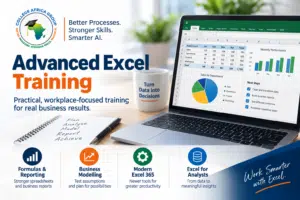
Reports are rebuilt every month. Data is copied between worksheets. Formulas become difficult to maintain. Business models depend on assumptions that are difficult to test.
Experienced users may also be unaware of newer Microsoft 365 functions that can replace older, more complicated ways of working.
The College Africa Group pathway is designed around these different workplace problems rather than trying to place every skill into one course.
There is no single course that is appropriate for every employee. The right training depends on what the employee already knows and what they actually need to do in Excel.
Advanced Excel Level 1 — Formulas, Data & Reporting
|
Advanced Excel Level 2 — Business Modelling
|
Advanced Excel Level 3 — Modern Excel 365
|
Advanced Excel Level 4 — Excel for Analysts
Why Do Businesses Need Advanced Excel Training?
Excel is used across finance, operations, sales, HR, project environments, administration and management. The challenge is often not whether employees can open Excel or enter a formula. It is whether they can use it efficiently when the work becomes more complex.
Consider some common workplace situations:
- A monthly report has to be rebuilt every time new data arrives.
- Employees repeatedly copy formulas and data between worksheets.
- Large formulas work, but nobody is confident changing or checking them.
- Management wants to understand how changing an assumption affects the result.
- Different departments maintain separate versions of essentially the same report.
- Experienced users continue using older methods because they have never been shown the newer Microsoft 365 alternatives.
- Analysts spend more time preparing and restructuring information than analysing it.
These are not simply knowledge problems. They are process, productivity and capability problems.
Good training should therefore help employees solve the problems they actually encounter at work — not simply teach them a longer list of functions.
How Has Excel Changed for Experienced Users?
For many years, becoming a strong Excel user meant learning increasingly complex formulas, PivotTables, lookup functions, What-If tools and perhaps eventually VBA.
Those skills still have value, but Excel itself has changed.
Microsoft 365 has introduced newer functions and dynamic formula capabilities that can make some traditional spreadsheet processes considerably simpler. Modern users can work with dynamic arrays, create more flexible lookups, return filtered datasets, reshape information and build calculations that respond as source data changes.
This does not mean that older knowledge is suddenly useless.
Modern training should help experienced users understand when the traditional method remains appropriate and when Microsoft 365 provides a better way of solving the problem.
Why Does Advanced Excel Training Still Matter in the Age of AI and Copilot?
AI and Microsoft Copilot can help employees write formulas, explain functions, identify patterns and work more quickly with spreadsheet information.
But AI does not remove the need to understand Excel.
An employee still needs to understand the business question, recognise whether the source data is appropriate, check the calculation and determine whether the result makes sense.
The more important the spreadsheet is to a financial, operational or management decision, the more important that judgement becomes.
College Africa Group therefore treats AI as an additional productivity capability rather than a replacement for strong Excel skills.
How Do Employees Check AI-Generated Excel Formulas and Analysis?
Employees can only check an AI-generated formula if they understand the Excel underneath it. AI tools such as Microsoft Copilot and ChatGPT can produce formulas and summaries that look correct but use the wrong range, miss blank or duplicate records, or produce totals that do not reconcile.
At College Africa Group we teach a simple validation approach:
Source Data → Process → Required Output → AI → Validate Against the Source
In practice, employees learn to:
- Read and understand the formula the AI suggests before using it.
- Test it on a small sample where they already know the answer.
- Reconcile totals back to the source data.
- Check for blanks, duplicates and inconsistent data before analysis.
- Ask whether the result makes business sense before it reaches management.
AI makes Excel faster, but it does not remove the need for Excel skills – it makes them more important.
Which Advanced Excel Course Is Right for Your Team?
Different employees use Excel for different purposes. Rather than forcing everybody through the same programme, the College Africa Group pathway separates the major areas of higher-level Excel work.
The levels show the recommended order. Experienced users can start at any level – the Excel Skills Assessment shows where.
This allows corporate Advanced Excel training to be matched more closely to what employees actually need to achieve at work.
Advanced Excel Level 1 — Formulas, Data & Reporting
Do Employees Need Stronger Formulas, Data Skills and Reporting Capability?
Advanced Excel Level 1 develops stronger formula, data and reporting capability for employees who already use Excel but need to work more confidently with demanding business spreadsheets.
The workplace problem is familiar: employees can perform routine spreadsheet tasks, but more demanding reports still require too much manual intervention or help from a more experienced colleague.
The course develops stronger formula-building and reporting capability so that employees can work more independently with everyday business information.
Typical requirement: “My employees use Excel regularly, but they need stronger formula and reporting skills.”
Advanced Excel Level 2 — Business Modelling
Do Employees Need to Build Models and Test Business Assumptions?
Some Excel users need more than reporting. They need to explore possibilities.
What happens if sales fall by 10%? What price is required to achieve a target margin? How does changing one assumption affect profitability? Which of several possible scenarios produces the strongest result?
Advanced Excel Level 2 — Business Modelling focuses on using Excel to answer these types of questions.
Delegates work with tools and techniques such as XLOOKUP, Goal Seek, Scenario Manager and Data Tables to build models, test assumptions and explore alternative outcomes.
The objective is not simply to learn individual Excel features. It is to use Excel as a practical tool for business modelling and decision support.
Typical requirement: “My employees need to build better models and understand the impact of changing assumptions.”
Advanced Excel Level 3 — Modern Excel 365
Are Experienced Excel Users Still Working the Old Way?
Excel has changed substantially through Microsoft 365.
Employees who learned Excel several years ago may be highly competent but still use techniques developed before dynamic arrays and newer Microsoft 365 functions became available.
Advanced Excel Level 3 — Modern Excel 365 introduces experienced users to newer ways of building formulas, working with dynamic results, performing lookups and handling business data.
The course helps delegates understand how newer capabilities can simplify work that previously required more complicated formulas, helper columns or repetitive manual processes.
It also introduces selected modern productivity and data tools so that experienced users can begin moving from traditional methods towards a more modern Microsoft 365 approach.
Typical requirement: “My employees know Excel well, but they need to understand what has changed in Microsoft 365 and how to work more efficiently.”
Advanced Excel Level 4 — Excel for Analysts
Do Employees Spend a Significant Part of Their Role Working with Business Data?
Some employees do not simply use Excel occasionally. Working with data is a substantial part of their role.
They may receive information from different reporting periods or business units, consolidate it, clean it, select the fields required for analysis, calculate business measures and turn detailed transactions into management information.
Advanced Excel Level 4 — Excel for Analysts is being developed around this end-to-end analytical workflow.
The focus is not on collecting another list of functions. It is on using modern Excel techniques together to move from separate business data to useful analytical information.
A typical workflow may involve:
Consolidate → Clean → Reshape → Summarise → Calculate → Reuse
Typical requirement: “My employees already know Excel, but analysing and preparing business data is a major part of their job.”
Do Employees Have to Complete Every Advanced Excel Course?
No.
The pathway provides a logical progression, but it is not intended to force every employee through four courses regardless of their existing ability or job requirements.
For example, an experienced reporting employee may need Level 3 — Modern Excel 365 without first attending Business Modelling. A finance employee responsible for forecasting may particularly benefit from Level 2 — Business Modelling. An employee whose role centres on preparing and analysing datasets may be better suited to Level 4 — Excel for Analysts.
The objective is to match the training to the employee’s current capability and the Excel work they actually perform.
How Do You Know Which Excel Course Employees Need?
Job titles alone are not always a reliable guide to Excel ability.
Two employees with similar roles may use Excel very differently. One may build sophisticated reports every week while another mainly updates existing spreadsheets.
College Africa Group therefore recommends looking at both:
- what the employee currently knows; and
- what the employee is expected to do in Excel at work.
Where necessary, a practical Excel skills diagnostic can help indicate whether an employee should strengthen foundational skills first or may be ready for higher-level training.
This helps organisations choose training according to demonstrated capability rather than relying only on job titles or self-assessment.
Should Employees Start with Basic, Intermediate or Advanced Excel?
Higher-level training is most useful when employees already have the underlying Excel foundations.
An employee who is still struggling with basic worksheet navigation, formulas, cell references, sorting or filtering may gain more from strengthening those skills first.
Employees who already work confidently with everyday formulas and structured data may be ready to move into the Advanced Excel pathway.
View the Microsoft Excel Training Pathway
Does Every Department Need the Same Advanced Excel Training?
Not necessarily.
Finance, HR, sales, operations, engineering and management may all use Excel, but they do not necessarily use it in the same way.
A finance team may require modelling and management reporting. Operations may work with large recurring datasets. Sales teams may focus on performance reporting. Analysts may spend substantial time consolidating and reshaping information.
For corporate teams, it can therefore be more effective to identify the common workplace requirement first and then place employees into the most appropriate programme.
How Is the Training Built Around Real Workplace Problems?
The College Africa Group approach is based on practical application rather than teaching Excel features in isolation.
The learning process follows a simple principle:
See it → Understand it → Practise it → Apply it → Check it
Where possible, exercises are built around realistic workplace situations such as reporting, data consolidation, business modelling, management information and recurring spreadsheet processes.
The question is not simply:
“Do you know this Excel function?”
The more useful question is:
“Do you recognise the business problem this Excel technique can solve?”
That distinction is important. Effective training should improve how employees approach workplace problems, not simply increase the number of functions they can name.
Advanced Excel Training Across South Africa
College Africa Group provides instructor-led Advanced Excel Training across South Africa for corporate teams, with onsite training available at the client’s premises and live virtual instructor-led training available nationally.
We support organisations in major business centres including Johannesburg, Pretoria, Cape Town, Durban and KwaZulu-Natal, as well as other locations across South Africa and Southern Africa.
Onsite Advanced Excel courses can be arranged for teams at your offices, while live virtual delivery using Microsoft Teams provides an alternative for employees working across different branches, provinces or locations.
Training locations:
South Africa & Southern Africa |
Johannesburg & Gauteng |
Cape Town & Western Cape |
Durban & KwaZulu-Natal
A typical training day runs from approximately 09h00 to 15h30, including appropriate breaks and practical exercises.
Corporate groups can discuss employee experience, business requirements and their Microsoft Excel environment before training so that the most appropriate programme can be selected.
What Comes After Advanced Excel Training?
The pathway is not necessarily the end of the road.
Once employees understand how to work effectively with Excel, some roles may benefit from more specialised capabilities such as:
- Power Query for repeatable data preparation and transformation;
- Power Pivot for more advanced data modelling;
- Excel dashboards and management reporting;
- VBA where appropriate for specialised automation;
- Microsoft Copilot and AI-assisted Excel productivity; or
- role-specific Excel and AI programmes for areas such as finance and HR.
The appropriate next step depends on the work the employee is expected to perform rather than simply progressing to a course with a higher-sounding name.
Talk to College Africa Group About Advanced Excel Training
Tell us what your employees currently do in Excel, where they experience difficulty and what you would like them to be able to do after training.
We can then help identify whether the requirement is primarily Level 1 — Formulas, Data & Reporting, Level 2 — Business Modelling, Level 3 — Modern Excel 365, Level 4 — Excel for Analysts or another specialist Excel programme.
Better Processes. Stronger Skills. Smarter AI.
Send an Enquiry
|
Call 083 778 4903
|
WhatsApp College Africa Group
Frequently Asked Questions About Advanced Excel Training
What is Advanced Excel Training?
Advanced Excel Training develops higher-level Excel skills for more demanding workplace tasks such as formulas, reporting, business modelling, modern Microsoft 365 functionality and business data analysis. The most appropriate course depends on the work the employee needs to perform.
Which Advanced Excel course should I choose?
Choose the course according to the work you need to perform. Level 1 — Formulas, Data & Reporting develops stronger formula, data and reporting capability. Level 2 — Business Modelling focuses on models and changing assumptions. Level 3 — Modern Excel 365 develops newer Microsoft 365 Excel skills. Level 4 — Excel for Analysts focuses on working with business datasets and analytical workflows.
Do I have to complete the Advanced Excel courses in order?
No. The courses form a logical pathway, but they are not a compulsory sequence. Experienced Excel users can attend the course most appropriate to their current skills and workplace requirements.
What is the difference between Business Modelling and Excel for Analysts?
Level 2 — Business Modelling focuses on building models, changing assumptions and exploring possible outcomes. Level 4 — Excel for Analysts focuses on working with business data — consolidating, cleaning, reshaping, calculating and summarising information for analysis and reporting.
What is the difference between Modern Excel 365 and Excel for Analysts?
Level 3 — Modern Excel 365 develops broader capability with newer Microsoft 365 Excel tools and methods. Level 4 — Excel for Analysts applies selected modern Excel techniques together as part of an analytical workflow for employees who regularly work with business datasets.
Is Advanced Excel training still important if employees have Microsoft Copilot?
Yes. AI and Copilot can assist with formulas, analysis and productivity, but employees still need enough Excel and business understanding to give appropriate instructions, work with the underlying data and check whether the resulting calculations and outputs are correct.
How do I know whether an employee is ready for higher-level Excel training?
Employees should generally be comfortable with everyday Excel formulas, worksheets and structured data first. Where there is uncertainty, a practical skills diagnostic can help indicate whether foundational skills should be strengthened first.
Can different employees attend different courses?
Yes. This can be particularly useful for corporate teams because employees in finance, HR, operations, sales, management and analytical roles may have different Excel requirements even within the same organisation.
Where is Advanced Excel Training available?
College Africa Group provides onsite Advanced Excel Training for corporate teams across South Africa, including Johannesburg, Pretoria, Cape Town, Durban and KwaZulu-Natal. Live virtual instructor-led training is also available nationally and for teams located across Southern Africa.
How long are the courses?
The pathway is structured around focused programmes rather than trying to cover every topic in one course. Individual course duration is specified on the relevant course page, with many College Africa Group corporate Excel programmes structured as practical one-day sessions.