
Advanced Excel Level 2 — Business Modelling
Advanced Excel Level 2 — Business Modelling is a practical one-day course for experienced Excel users who need to move beyond reporting and use Excel to test assumptions, investigate different scenarios and model possible business outcomes.
Level 2 of the Advanced Excel pathway. The levels show the recommended order – experienced users can start at any level, and the Excel Skills Assessment shows where.
Many business spreadsheets do more than report what has already happened. They are used to ask questions about what could happen.
What happens if sales decrease by 10%? What selling price is required to achieve a target margin? How would different cost assumptions affect profitability? Which combination of assumptions produces the required result?
This course teaches delegates how to use Excel to investigate these types of business questions using practical modelling and What-If techniques.
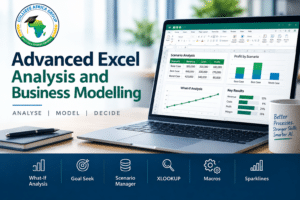
Delegates work with tools including XLOOKUP, Goal Seek, Scenario Manager and Data Tables and learn how the different techniques can be applied to realistic workplace problems.
The objective is not simply to learn another collection of Excel features. It is to use Excel more effectively for business modelling, investigation and decision support.
Download:
Advanced Excel Level 2 — Business Modelling Course Outline
Do Employees Need to Do More Than Report What Has Already Happened?
Many experienced Excel users can create formulas, work with business data and produce reports.
The difficulty begins when management asks them to investigate alternatives.
They may need to answer questions such as:
- What happens to profit if costs increase?
- What sales figure is required to reach a specific target?
- How does changing price affect margin?
- What happens under best-case, expected and worst-case assumptions?
- How sensitive is a result to changes in one or two important variables?
- How can information from another dataset be brought into the model reliably?
Without the appropriate Excel techniques, employees may answer these questions by repeatedly changing figures manually, making copies of spreadsheets or building unnecessarily complicated formulas.
Advanced Excel Level 2 — Business Modelling shows delegates how Excel can be used more systematically to investigate assumptions and possible outcomes.
What Does Business Modelling Look Like in Excel?
A business model does not have to be a complicated financial model containing thousands of formulas.
It can be any structured spreadsheet that allows a user to change assumptions and understand how those changes affect an important business result.
For example, a manager may have a model containing:
- sales volumes;
- selling prices;
- variable costs;
- fixed costs;
- target margins; and
- required profit.
Instead of manually changing these figures and trying to remember the results, Excel can help the user investigate the relationships between the assumptions and the required outcome.
This is the central purpose of the course: turning a spreadsheet from a static calculation into a practical decision-support model.
How Can Goal Seek Solve Target-Based Business Problems?
Sometimes the business knows the result it wants but does not know the input required to achieve it.
This is a common workplace problem.
A sales manager may know the required profit but need to calculate the sales volume necessary to achieve it. A finance employee may know the required margin but need to determine the selling price. A manager may have a target repayment or budget figure and need to work backwards to the appropriate input.
Goal Seek allows Excel to work backwards from the required result.
Delegates learn how to identify:
- the required outcome;
- the formula producing that outcome;
- the input that Excel is allowed to change; and
- whether the result produced is commercially sensible.
Business outcome: employees can investigate target-based questions without repeatedly changing inputs manually until they happen to reach the required result.
How Can Scenario Manager Compare Different Business Assumptions?
Business decisions are rarely based on one possible future.
Management may want to understand what happens under different assumptions — for example:
- expected sales;
- lower-than-expected sales;
- higher costs;
- different pricing strategies; or
- best-case, expected and worst-case conditions.
Employees sometimes create separate copies of the same spreadsheet for every scenario. This can quickly lead to duplicated files, inconsistent formulas and uncertainty about which version contains the correct assumptions.
Scenario Manager provides a structured way of storing and comparing different sets of assumptions within the same model.
Delegates learn how to create scenarios, switch between them and use the resulting information to support business discussion and decision-making.
Business outcome: alternative assumptions can be compared without repeatedly overwriting the original model or maintaining multiple versions of essentially the same spreadsheet.
How Can Data Tables Show the Effect of Changing Variables?
Sometimes management does not want to investigate only one alternative.
They may want to see how a result changes across a range of possible values.
For example:
- How does profit change at different sales volumes?
- What happens to repayments at different interest rates?
- How does margin change at different selling prices?
- What happens when both price and volume change?
Excel Data Tables allow users to investigate these relationships without manually entering every possible combination into the model.
Delegates learn how one-variable and two-variable Data Tables can be used to examine the sensitivity of an important result to changing assumptions.
Business outcome: employees can see a range of possible outcomes more quickly and understand which assumptions have the greatest effect on the model.
How Does XLOOKUP Support Business Models?
Business models frequently depend on information stored somewhere else.
A model may need to retrieve a customer category, product price, cost, discount rate, department, employee information or another value from a supporting dataset.
XLOOKUP provides a modern and flexible way of retrieving this information.
Delegates learn how XLOOKUP can be used to connect supporting business information to a model rather than repeatedly searching for and entering values manually.
The emphasis is on understanding the business requirement first and then constructing an appropriate lookup.
Business outcome: models can retrieve required information more consistently and with less manual intervention.
How Do the Excel Techniques Work Together?
In the workplace, Excel functions and tools are rarely used in complete isolation.
A business model may use XLOOKUP to retrieve supporting information, formulas to calculate an outcome, Goal Seek to determine the input required to achieve a target, Scenario Manager to compare different sets of assumptions and Data Tables to investigate how changing variables affect the result.
The course therefore focuses on selecting and combining the appropriate Excel techniques according to the business problem.
The learning process follows a practical sequence:
Business Question → Assumptions → Excel Model → Test Alternatives → Review Result → Validate
This is more useful than learning individual commands without understanding when or why they should be used.
What Practical Business Problems Can This Course Help Solve?
The techniques covered in Advanced Excel Level 2 — Business Modelling can be applied across finance, sales, operations, administration, project environments and management.
Typical applications can include:
- budget and forecasting models;
- sales target calculations;
- pricing decisions;
- margin analysis;
- cost and profitability modelling;
- best-case and worst-case scenarios;
- target-based calculations;
- sensitivity analysis;
- investment and project assumptions;
- resource and capacity modelling; and
- management decision support.
The exact spreadsheet may differ between organisations, but the underlying requirement is similar: understand how changing business inputs can affect an important outcome.
What Will Delegates Learn?
During the course, delegates learn how to:
- structure a spreadsheet around business assumptions and required outcomes;
- use What-If techniques to investigate alternative results;
- work backwards from a required outcome using Goal Seek;
- create and compare alternative assumptions using Scenario Manager;
- use one-variable and two-variable Data Tables to investigate sensitivity;
- retrieve supporting business information using XLOOKUP;
- interpret the results produced by an Excel model;
- select an appropriate Excel technique for a particular business question; and
- check whether the resulting model and output make business sense.
Download the Advanced Excel Level 2 — Business Modelling TOC
Who Should Attend Advanced Excel Level 2 — Business Modelling?
This course is intended for employees who already use Excel confidently and now need to use spreadsheets for modelling, forecasting, investigation or decision support.
It may be particularly relevant to employees working in:
- finance and accounting;
- budgeting and forecasting;
- management reporting;
- sales and commercial roles;
- operations;
- project environments;
- business analysis;
- administration;
- management; and
- executive support.
Employees do not have to complete every earlier College Africa Group Excel course before attending. Experienced Excel users can enter the pathway at the programme appropriate to their existing skills and workplace requirements.
Not Sure Whether an Employee Is Ready for Advanced Excel Training?
Employees often describe themselves as Beginner, Intermediate or Advanced Excel users, but those descriptions can mean very different things to different people.
College Africa Group’s practical Excel Skills Assessment can help indicate whether an employee has the underlying Excel foundations required for more advanced training.
The assessment is intended as a practical screening tool rather than a formal classification of an employee as Beginner, Intermediate or Advanced.
View the Excel Skills Assessment
Where Does Business Modelling Fit in the Advanced Excel Pathway?
College Africa Group’s Advanced Excel pathway separates different types of advanced Excel work rather than trying to place every skill into one programme.
The courses do not have to be completed as a compulsory sequence. Employees can enter at the point appropriate to their existing capability and workplace responsibilities.
Advanced Excel Level 1 — Formulas, Data & Reporting
For employees who need stronger advanced formulas, data handling and reporting capability.
Explore Advanced Excel Level 1 — Formulas, Data & Reporting
Advanced Excel Level 2 — Business Modelling
This course. For experienced Excel users who need to test assumptions, investigate different scenarios, work backwards from targets and build practical decision-support models.
Advanced Excel Level 3 — Modern Excel 365
For experienced Excel users who need to understand newer Microsoft 365 Excel capabilities and more modern ways of working with formulas and business data.
Explore Advanced Excel Level 3 — Modern Excel 365
Advanced Excel Level 4 — Excel for Analysts
For experienced Excel users whose roles involve substantial data preparation and analysis, including consolidating, cleaning, reshaping, summarising and calculating business information.
Does Advanced Excel Level 2 — Business Modelling Still Matter with AI and Copilot?
Yes. AI tools such as Microsoft Copilot and ChatGPT can increasingly help employees create formulas, investigate spreadsheet problems and work more quickly with Excel.
However, AI does not remove the need to understand the business model.
An employee still needs to understand:
- what question the model is intended to answer;
- which assumptions are being used;
- whether the formulas and relationships are appropriate;
- whether the source information is reliable; and
- whether the resulting answer makes business sense.
AI-generated spreadsheet work should therefore be validated against the source data, the model and the underlying business requirement.
Microsoft Copilot Training
|
ChatGPT for Business
How Long Is Advanced Excel Level 2 — Business Modelling?
Advanced Excel Level 2 — Business Modelling is a one-day instructor-led course, normally running from approximately 09h00 to 15h30.
The programme combines instructor demonstration, discussion and practical Excel exercises so that delegates can apply the techniques during the training.
Corporate training can be delivered onsite at the client’s premises or through live virtual instructor-led training using Microsoft Teams.
Advanced Excel Level 2 — Business Modelling Training Across South Africa
College Africa Group provides instructor-led Advanced Excel Level 2 — Business Modelling training across South Africa for corporate teams.
Onsite training can be delivered at the client’s premises, while live virtual instructor-led delivery is available for organisations with employees working across different branches, provinces or locations.
We support organisations requiring Excel training in major business centres including Johannesburg, Pretoria, Cape Town, Durban and KwaZulu-Natal, as well as other locations across South Africa and Southern Africa.
Training locations:
South Africa & Southern Africa
|
Johannesburg & Gauteng
|
Cape Town & Western Cape
|
Durban & KwaZulu-Natal
For organisations requiring development across different Excel skill areas, College Africa Group also provides a broader Microsoft Excel Training pathway covering foundational, intermediate, advanced and specialist Excel requirements.
Why Choose College Africa Group for Advanced Excel Training?
College Africa Group provides practical corporate Excel training focused on helping employees apply spreadsheet skills to realistic workplace requirements.
Training is instructor-led and combines explanation with practical application rather than simply demonstrating Excel commands.
For Advanced Excel Level 2 — Business Modelling, the emphasis is on helping delegates understand the business problem first and then select the Excel technique that can help solve it.
This approach helps move the conversation from:
“Which Excel feature do I know?”
to:
“What business question am I trying to answer, and which Excel technique will help me answer it?”
College Africa Group was established in 2003 and provides corporate training for organisations across South Africa and Southern Africa.
Frequently Asked Questions About Advanced Excel Level 2 — Business Modelling
What is Advanced Excel Level 2 — Business Modelling?
Advanced Excel Level 2 — Business Modelling is a one-day course for experienced Excel users who need to use Excel to test assumptions, investigate scenarios, work backwards from required outcomes and support business decision-making.
What does Advanced Excel Level 2 — Business Modelling cover?
The course focuses on practical business modelling techniques including XLOOKUP, What-If Analysis, Goal Seek, Scenario Manager and Data Tables. Delegates learn how the different Excel techniques can be applied to realistic business questions and models.
Who should attend Advanced Excel Level 2 — Business Modelling?
The course is suitable for experienced Excel users involved in areas such as finance, budgeting, forecasting, sales, operations, management reporting, project environments and other roles where employees need to investigate assumptions and possible business outcomes.
Do I need to complete Advanced Excel Level 1 — Formulas, Data & Reporting first?
Not necessarily. Experienced Excel users with the required existing skills can attend Advanced Excel Level 2 — Business Modelling directly. Employees who still need stronger advanced formula, data and reporting capability may benefit from completing Advanced Excel Level 1 — Formulas, Data & Reporting first.
Does the course include XLOOKUP?
Yes. XLOOKUP is used as a modern way of retrieving supporting information required by business models and other Excel calculations.
Does the course include Goal Seek and Scenario Manager?
Yes. Goal Seek is used to work backwards from a required result, while Scenario Manager allows users to create and compare different sets of business assumptions within a model.
Does the course include Excel Data Tables?
Yes. Data Tables are used to investigate how changing one or two important variables can affect the outcome of an Excel model.
Is Advanced Excel Level 2 — Business Modelling available virtually?
Yes. The course can be delivered as live instructor-led virtual training using Microsoft Teams. Onsite corporate training is also available.
Where is Advanced Excel Level 2 — Business Modelling available?
College Africa Group provides corporate Excel training across South Africa, including Johannesburg, Pretoria, Cape Town, Durban and KwaZulu-Natal. Onsite and live virtual instructor-led delivery options are available, with training also available for organisations across Southern Africa.
What other Advanced Excel courses are available?
The College Africa Group Advanced Excel pathway includes Advanced Excel Level 1 — Formulas, Data & Reporting, Advanced Excel Level 2 — Business Modelling, Advanced Excel Level 3 — Modern Excel 365 and Advanced Excel Level 4 — Excel for Analysts. Employees can enter the pathway at the programme appropriate to their existing skills and workplace requirements.
Advanced Excel Level 2 — Business Modelling Enquiries
If your employees already use Excel confidently but need to build stronger models, test assumptions and investigate alternative business outcomes, talk to College Africa Group about Advanced Excel Level 2 — Business Modelling.
We can discuss the employees’ current Excel capability, the work they perform and whether Business Modelling or another programme in the Advanced Excel pathway is the most appropriate fit.
Better Processes. Stronger Skills. Smarter AI.
Send an Enquiry
|
Call 083 778 4903
|
WhatsApp College Africa Group
[INSERT_ELEMENTOR id=”11090″]
[INSERT_ELEMENTOR id=”11912″]