
Our staff use Word, Outlook and PowerPoint every day. Why does simple office work still take so long?
Using Microsoft 365 every day is not the same as using it efficiently. Most employees taught themselves Word, Outlook and PowerPoint, so documents are formatted by hand, standard letters are typed one at a time, inboxes overflow and presentations take hours to build. Microsoft 365 training from College Africa Group fixes these everyday problems with practical, one-day, instructor-led courses for corporate teams across South Africa.
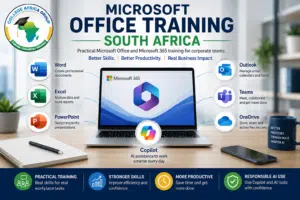
The result is less time lost on routine work, more consistent and professional documents, and staff who know which feature solves which problem.
Organisations can choose a single course, train different groups at different levels, or combine applications into one corporate programme built around their own templates and tasks.
Tell us where the time is going
Tell us which applications your employees use, their current skills and where work is slowing down. We will recommend the right courses and levels for your team.
Which Microsoft 365 problems does training solve?
Microsoft 365 training solves the everyday productivity problems that cost teams hours each week. The most common ones, and the course that fixes each, are:
- Documents look different every time and take too long: Word Basic or Intermediate.
- Standard letters and labels are produced one by one: Word Intermediate (mail merge).
- Several reviewers edit the same document and changes get lost: Word Intermediate or Advanced (tracked changes, comparing and merging).
- Policies, forms and formal reports must be controlled and signed off: Word Advanced.
- Presentations take hours and do not get the message across: PowerPoint Basic.
- Inboxes and calendars run the day: Outlook Basic.
- Reports are still built manually in spreadsheets: Excel training.
- Files are scattered across email, OneDrive and Teams: Teams, OneDrive and SharePoint.
Want the whole range on one page? Download the Microsoft 365 Training course overview (PDF)
Our documents take too long and look inconsistent. Which Word course do we need?
The right Word course depends on the documents your staff produce. College Africa Group offers three one-day Microsoft Word courses, delivered onsite or virtually across South Africa:
- Word Basic – for beginners and self-taught users who need to create, edit, format, proof and print letters, memos and simple reports properly. Download the Word Basic course outline (PDF)
- Word Intermediate – for staff producing longer reports and standard correspondence: page flow, headers and footers, multilevel lists, templates, mail merge, comments and tracked changes. Download the Word Intermediate course outline (PDF)
- Word Advanced – for staff preparing policies, formal reports and controlled documents: graphics, multiple reviewers, captions, cross-references and citations, document security, forms and macros. Download the Word Advanced course outline (PDF)
Our presentations take hours and still don’t land. What PowerPoint training is available?
PowerPoint Basic is a one-day course that teaches staff to build clear business presentations quickly, rather than crowding slides with text. Delegates build, enhance and present a short business presentation during the day.
- PowerPoint Basic – creating and editing presentations, slide layouts, notes and handouts, drawing objects, adding images and running a slide show. Download the PowerPoint Basic course outline (PDF)
Advanced or comprehensive PowerPoint training can be designed as a bespoke programme around your team’s presentations. Contact us to discuss the content you need.
Our inboxes and calendars are out of control. Can Outlook training help?
Yes. Outlook Basic is a one-day course that shows staff how to manage email, contacts, appointments and tasks so communication and scheduling stay organised.
- Outlook Basic – using the Inbox, composing, replying and forwarding, organising mail in folders, managing contacts, scheduling appointments and managing tasks. Download the Outlook Basic course outline (PDF)
Comprehensive Outlook training can be designed as a bespoke programme around your team’s requirements. Contact us to discuss the content you need.
Should Excel training be part of a Microsoft 365 programme?
Usually, yes, because Excel is where most reporting time is lost. College Africa Group runs a full Excel training pathway from Excel Basic and Intermediate to Advanced Excel and Excel for Analysts. If you are unsure of your team’s level, start with the Excel Skills Assessment.
Files are scattered across email, OneDrive and Teams. Can you help?
Yes. Teams, OneDrive and SharePoint training can be added to a Microsoft 365 programme so staff know where files belong, how to share them and how to work on one version instead of emailing attachments.
- Microsoft Teams: meetings, chat, channels, shared files, recordings and meeting actions.
- OneDrive and SharePoint: personal and shared storage, document libraries, sharing, permissions and version history.
- Forms, Lists and Loop: collecting information, tracking work and collaborating on shared content.
- Microsoft Planner: team task management – see our dedicated Microsoft Planner training.
Can Microsoft 365 training be tailored to different departments?
Yes. Each department uses Microsoft 365 differently, so corporate programmes focus on the applications and tasks that matter to each group:
- Finance: Excel reporting and analysis, PowerPoint for management packs.
- Human resources: Word templates and mail merge, Outlook, Forms and Teams.
- Administration and PAs: Outlook, Word, Excel, Teams and document management.
- Managers: reports, presentations, meetings and task coordination.
- Sales: proposals, presentations, email follow-up and meeting notes.
- Project teams: Teams, Planner, Lists and reporting.
Programmes can use your own templates, department examples and anonymised business documents.
Should we add Microsoft Copilot to our Microsoft 365 training?
Add Copilot once staff can use the core applications properly, because Copilot works inside Word, Excel, PowerPoint, Outlook and Teams and still needs a user who can check its output. College Africa Group runs a dedicated Microsoft Copilot training programme, and Copilot can also be included in a broader Microsoft 365 programme where your organisation has the licences.
How is Microsoft 365 training delivered?
Training is instructor-led and practical. College Africa Group delivers it:
- onsite at your premises in Johannesburg, Pretoria, Centurion, Midrand, Cape Town, Durban and elsewhere in South Africa;
- live virtually through Microsoft Teams or Zoom;
- at a suitable offsite venue; or
- as a blended programme with follow-up sessions.
Training is delivered on Microsoft 365 for Windows. Delegates receive an electronic attendance certificate.
Why choose College Africa Group for Microsoft 365 training?
- Corporate training since 2003
- MICT SETA accredited (ACC/2011/07/066) and BEE Level 2
- Word, PowerPoint, Outlook and Excel courses from basic to advanced
- Practical exercises built on real workplace documents and tasks
- Onsite and live virtual delivery across South Africa
- Copilot and responsible AI training when your team is ready
Microsoft 365 training FAQs
Which Microsoft 365 courses does College Africa Group offer?
College Africa Group offers one-day Word Basic, Word Intermediate, Word Advanced, PowerPoint Basic and Outlook Basic courses, plus Excel training from basic to analyst level. Teams, OneDrive, SharePoint and Copilot can be added to a corporate programme.
How long is each Microsoft Office course?
The Word, PowerPoint and Outlook courses are each one day. Combined or customised Microsoft 365 programmes are scoped around the applications and outcomes you need.
Our staff are at different levels. How do we choose the right course?
Start with the problem and the person. Beginners and self-taught users start at Basic; staff producing long reports, mail merges or reviewed documents need Intermediate; staff preparing controlled policies, forms or formal reports need Advanced. We can help you place delegates before training.
Is training delivered onsite or online?
Both. College Africa Group delivers instructor-led training onsite at your premises anywhere in South Africa, or live virtually through Microsoft Teams or Zoom.
Can the training use our own templates and documents?
Yes. Corporate programmes can use your templates, department examples and anonymised business documents so delegates practise on the work they actually do.
Do delegates receive a certificate?
Yes. Delegates receive an electronic attendance certificate.
Can Microsoft Copilot be included?
Yes, where your organisation has the appropriate Microsoft 365 Copilot licences. College Africa Group also runs a dedicated Microsoft Copilot training programme.
Do you train on Microsoft 365 for Mac?
Training is delivered on Microsoft 365 for Windows. If your team uses Mac, contact us to discuss whether a course will suit your setup.
Ready to fix where your team’s time is going?
Tell us which Microsoft applications your employees use, their current skills and the outcomes you want. We will recommend the right courses and levels.
Phone: 083 778 4903
Email: sales@collegeafricagroup.com
Microsoft product names and features change over time. Copilot availability depends on your Microsoft 365 plan, licences and tenant configuration. College Africa Group provides training and consulting and does not sell or administer Microsoft licences.