
Microsoft 365 Training South Africa
Microsoft Office Training South Africa from College Africa Group provides practical, instructor-led training for corporate teams using Excel, Word, PowerPoint, Outlook and the wider Microsoft 365 environment.
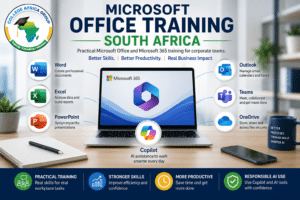 Our Microsoft Office courses are designed around the applications employees use every day. Training can help teams improve spreadsheet skills, create more professional documents and presentations, manage email and meetings more effectively and make better use of Microsoft 365 collaboration tools.
Organisations can select a single Microsoft Office course, arrange training at different skills levels or combine several applications into a customised corporate programme.
Practical Microsoft Office and Microsoft 365 skills for the modern workplace.
Microsoft Office Training for Your Team
Tell us which applications your employees use, their current skills levels and where they need to improve. We can recommend a practical training structure for your organisation.
Practical Microsoft Office Training for the Workplace
Microsoft Office remains central to everyday business productivity. Employees use Excel for calculations and reporting, Word for documents, PowerPoint for presentations and Outlook for communication and scheduling.
Using these applications every day, however, does not necessarily mean employees are using them efficiently.
Manual spreadsheet processes, inconsistent documents, overloaded presentations, poorly managed email and repetitive administrative work can consume significant time.
Our Microsoft Office training focuses on practical workplace application. Delegates learn features and techniques that can help them complete common business tasks more efficiently and consistently.
Microsoft Office Courses for Corporate Teams
College Africa Group provides Microsoft Office courses for organisations requiring individual application training or broader employee development programmes.
Courses can be delivered at basic, intermediate and advanced levels, depending on the application and the existing skills of the delegates.
Training can focus on one application or combine several Microsoft tools where employees work across different applications during their normal working day.
Microsoft Excel Training
Excel is one of the most widely used business applications for calculations, reporting, analysis and decision support.
Our Microsoft Excel training is available at basic, intermediate and advanced levels.
Depending on the level, Excel training can include:
- worksheet and workbook management;
- formulas and functions;
- data organisation and cleaning;
- tables and structured data;
- lookup and reference functions;
- conditional formatting;
- PivotTables and PivotCharts;
- charts and business reporting;
- advanced analysis tools;
- dashboards;
- modern Microsoft 365 Excel functions; and
- productivity and automation techniques where appropriate.
Experienced spreadsheet users can also attend our Advanced Excel training.
Microsoft Word Training
Microsoft Word training helps employees create structured, professional and consistent business documents.
Our Microsoft Word training can cover:
- document formatting;
- styles and themes;
- tables;
- headers and footers;
- page and section control;
- templates;
- mail merge;
- references;
- long-document management; and
- document collaboration.
Practical exercises can be applied to reports, proposals, policies, manuals, letters and other common workplace documents.
Microsoft PowerPoint Training
Our Microsoft PowerPoint training helps employees create clear and professional business presentations.
Training can include:
- slide layouts and structure;
- themes and templates;
- visual hierarchy;
- charts and diagrams;
- SmartArt;
- images and media;
- animation and transitions;
- presentation consistency; and
- presentation delivery.
The objective is to help employees communicate information clearly rather than simply add more content to slides.
Microsoft Outlook Training
Microsoft Outlook training helps employees manage email, calendars, meetings and priorities more effectively.
Training can include:
- email organisation;
- folders and categories;
- search and filtering;
- calendar management;
- meeting scheduling;
- shared mailboxes;
- rules and automation;
- tasks and follow-up; and
- techniques for reducing unnecessary email overload.
Microsoft Office 365 Training South Africa
Microsoft Office has developed into a broader Microsoft 365 working environment. Many organisations now use traditional Office applications alongside Teams, OneDrive, SharePoint and other cloud-based services.
Our Microsoft Office 365 training South Africa can therefore extend beyond Excel, Word, PowerPoint and Outlook to help employees work across connected Microsoft 365 applications.
The exact training structure depends on the organisation’s Microsoft environment, licences, employee roles and business requirements.
Organisations can review Microsoft’s current applications and subscription options through the official Microsoft 365 website.
Microsoft Teams Training
Microsoft Teams supports meetings, communication, file collaboration and teamwork within Microsoft 365.
Training can include:
- Teams meetings;
- chat and communication;
- channels;
- meeting preparation;
- shared files;
- recordings;
- meeting actions; and
- practical collaboration practices.
Teams training can be delivered independently or included as part of a broader Microsoft 365 training programme.
OneDrive and SharePoint Training
File management is an important part of Microsoft 365 productivity. Employees need to understand where documents are stored, how files are shared and how different Microsoft services work together.
Training can address:
- personal OneDrive storage;
- shared documents;
- Teams file storage;
- SharePoint document libraries;
- file sharing;
- permissions;
- version history; and
- document collaboration.
Better file-management practices can help reduce duplicated documents, uncontrolled versions and unnecessary email attachments.
Microsoft Forms, Lists, Planner and Loop
Microsoft 365 includes additional tools that organisations can use for information capture, tracking, task coordination and collaboration.
Where required, training can include:
- Microsoft Forms for surveys and information collection;
- Microsoft Lists for structured tracking;
- Microsoft Planner for team tasks; and
- Microsoft Loop for collaborative working content.
Microsoft Office Training Courses by Skill Level
Employees within the same organisation often have very different Microsoft Office skills. A single training level may therefore not be appropriate for everyone.
College Africa Group can structure Microsoft Office training courses at different levels so that delegates receive training appropriate to their existing knowledge and job requirements.
Basic Microsoft Office Training
Foundational training helps employees develop confidence with the essential functions required for everyday work.
It is suitable for new users, employees moving into office-based roles and teams requiring a consistent baseline of skills.
Intermediate Microsoft Office Training
Intermediate training helps experienced users work faster and make better use of the features available within Microsoft applications.
The emphasis moves beyond basic application use towards more efficient formulas, documents, presentations, communication and recurring workplace activities.
Advanced Microsoft Office Training
Advanced Microsoft Office training is designed for experienced users responsible for more complex reporting, analysis, documents, presentations and productivity requirements.
Advanced training is normally structured around the specific application because advanced Excel, Word and PowerPoint users require different skills.
Microsoft Office Training Designed Around Business Tasks
Effective Microsoft training should connect application skills with the activities employees actually perform at work.
Practical examples can include:
- analysing and reporting business data in Excel;
- creating professional reports in Word;
- preparing management presentations in PowerPoint;
- managing email and calendars in Outlook;
- running meetings through Teams;
- sharing documents through OneDrive and SharePoint;
- collecting information using Forms;
- coordinating tasks through Planner; and
- moving information between Microsoft applications.
Connected Microsoft 365 Workflows
Employees rarely complete an entire business process inside one Microsoft application.
A report may begin with data in Excel, move into Word for explanation, become a PowerPoint presentation for management and then be distributed or discussed through Outlook and Teams.
Microsoft 365 training can therefore include connected workflows such as:
- analysing Excel data and converting results into a management presentation;
- using a Word report as source material for PowerPoint;
- collecting information through Forms and reviewing responses in Excel;
- storing shared documents in Teams or SharePoint;
- turning meeting information into actions and follow-up communication;
- creating reusable templates for recurring work; and
- reducing unnecessary copying between applications.
Microsoft Copilot and Office Training
Microsoft Copilot can add AI assistance to selected Microsoft 365 applications and workplace activities.
Available capabilities depend on Microsoft’s current products, the organisation’s licences, tenant configuration and applications.
College Africa Group provides a dedicated Microsoft Copilot Training South Africa programme for organisations wanting to develop practical Copilot skills.
Where appropriate, Copilot can also be incorporated into broader Microsoft training.
Copilot in Word
- Create initial drafts from clear instructions and source information.
- Summarise documents.
- Restructure content.
- Rewrite material for different audiences.
- Improve clarity and presentation.
Copilot in Excel
- Explore structured business data.
- Ask questions about trends and patterns.
- Support formula understanding.
- Assist with selected analysis activities.
- Generate initial observations that require validation.
Copilot in PowerPoint
- Create an initial presentation structure.
- Develop draft slides from approved content.
- Summarise longer material.
- Improve slide wording.
- Generate draft speaker notes.
Copilot in Outlook and Teams
- Summarise email threads.
- Draft responses.
- Prepare meeting information.
- Recap meetings.
- Identify possible actions and follow-ups.
Microsoft provides additional product information through its official Microsoft 365 Copilot documentation.
Microsoft Office Courses for Different Departments
Not every department uses Microsoft Office in the same way. Training can be structured around the applications and tasks most relevant to different roles.
- Finance teams: Excel analysis, reporting, dashboards and PowerPoint.
- Human resources: Word templates, Outlook, Excel, Teams and Forms.
- Administration teams: Outlook, Word, Excel, Teams and document management.
- Managers: reporting, meetings, presentations, communication and task coordination.
- Sales teams: proposals, presentations, email follow-ups and meeting documentation.
- Project teams: Teams, Planner, Lists, reporting and Microsoft Project where required.
Customised Corporate Microsoft Office Training
Corporate training can be customised around the applications employees use, their current skills and the outcomes the organisation wants to achieve.
Before training, we can discuss existing skills, applications, recurring productivity problems and the areas management wants employees to improve.
Customisation can include:
- department-specific examples and exercises;
- company templates;
- anonymised business data;
- application-specific programmes;
- combined Microsoft Office courses;
- basic, intermediate and advanced groups;
- one-day and multi-day programmes;
- executive or management sessions; and
- follow-up support or productivity consulting.
Microsoft Office Training South Africa – Delivery
College Africa Group delivers Microsoft Office Training South Africa through instructor-led corporate programmes.
Training is available:
- onsite at the client’s premises;
- live virtually through Microsoft Teams or Zoom;
- at suitable offsite venues; or
- through blended programmes combining facilitated training and follow-up sessions.
Private corporate groups allow training to be aligned more closely with the organisation’s applications, employee skills and workplace priorities.
Microsoft Office Training Across South Africa
College Africa Group provides Microsoft Office training for organisations in Johannesburg, Pretoria, Midrand, Centurion, Cape Town, Durban and other locations throughout South Africa.
Live virtual delivery is also available for organisations with employees working across different offices or regions.
Why Choose College Africa Group?
- Delivering corporate training since 2003
- Practical instructor-led learning
- Basic, intermediate and advanced training
- Microsoft Excel, Word, PowerPoint and Outlook courses
- Microsoft 365 collaboration training
- Microsoft Copilot and workplace AI capability
- Onsite and live virtual delivery
- Customised corporate programmes
- Practical exercises based on workplace tasks
Microsoft Office, Copilot and Responsible AI Use
Where Microsoft Copilot or other AI tools form part of the programme, employees need to understand that AI-generated content still requires human review.
Employees remain responsible for checking facts, calculations, conclusions and business decisions before using or sharing AI-generated content.
Copilot training can be aligned with the organisation’s approved Microsoft environment and responsible workplace practices.
Microsoft Office Training FAQs
1. What does Microsoft Office training cover?
Microsoft Office training can include Excel, Word, PowerPoint and Outlook. Microsoft 365 programmes can also include Teams, OneDrive, SharePoint and other connected applications.
2. What Microsoft Office courses are available?
College Africa Group provides Microsoft Excel, Word, PowerPoint and Outlook courses at different skills levels. Microsoft Teams and other Microsoft 365 applications can also be included.
3. Do you provide Microsoft Office courses in South Africa?
Yes. College Africa Group provides instructor-led Microsoft Office courses for corporate teams throughout South Africa through onsite and live virtual delivery.
4. Is Microsoft Office 365 training available?
Yes. Microsoft Office and Microsoft 365 training can be combined to cover traditional Office applications together with Teams, OneDrive, SharePoint and other connected Microsoft 365 tools.
5. Do you offer basic, intermediate and advanced Microsoft Office training?
Yes. Training can be delivered at basic, intermediate and advanced levels depending on the application and the existing skills of the participants.
6. What is advanced Microsoft Office training?
Advanced training is intended for experienced users who need stronger capabilities in areas such as Excel analysis, reporting, complex Word documents, professional PowerPoint presentations and workplace productivity.
7. Can Microsoft Office training be customised for our company?
Yes. Training can be adapted to your applications, employee roles, skills levels, documents and workplace requirements.
8. Can Microsoft Copilot be included?
Yes. Copilot can be included where the organisation has the appropriate Microsoft licences and available features. A dedicated Microsoft Copilot training programme is also available.
9. Is Microsoft Office training available onsite?
Yes. College Africa Group provides onsite Microsoft training for corporate teams throughout South Africa.
10. Is live virtual Microsoft Office training available?
Yes. Training can be delivered live online for organisations with employees working remotely or across different locations.
11. How long does a Microsoft Office course take?
Duration depends on the application, skills level and required outcomes. Training can range from focused sessions to one-day, multi-day or structured corporate programmes.
12. Where is Microsoft Office Training South Africa available?
Microsoft Office Training South Africa is available through College Africa Group for corporate teams across the country, including Johannesburg, Pretoria, Midrand, Centurion, Cape Town and Durban, with live virtual delivery also available.
Request Microsoft Office Training
Tell us which Microsoft applications your employees use, their current skills levels and the workplace outcomes you want to improve.
Phone: 083 778 4903
Email: sales@collegeafricagroup.com
Microsoft product names and features may change over time. Application and Copilot availability depends on the client’s Microsoft 365 plan, licensing, tenant configuration and Microsoft product updates. College Africa Group provides training and consulting services and does not sell or administer Microsoft licences.
Learn more about Microsoft’s current applications and cloud services through the official Microsoft 365 apps and services.