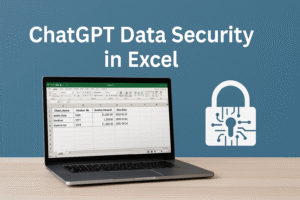
ChatGPT Data Security in Excel (Safe Business Use Guide)
How to Analyse Data Safely with ChatGPT: Placeholders, Excel Workflows, and Security Habits
ChatGPT data security in Excel is essential for organisations working with financial, HR, and operational data. Businesses can use ChatGPT safely by applying structured workflows, placeholders, and POPIA-aware practices.
ChatGPT data security in Excel is one of the most pressing concerns for corporates in South Africa.
AI produces language — not truth. Excel remains the system of record for decision-making.
While ChatGPT is powerful for reporting, dashboards, and automation, the real question is: Can you use it without exposing confidential debtor or HR data?
The answer: Yes — if you use placeholders and safe workflows for ChatGPT data security in Excel.
What Is ChatGPT Data Security in Excel
ChatGPT data security in Excel refers to using AI tools without exposing real business data. Instead of uploading sensitive spreadsheets, organisations use placeholder templates to generate formulas, logic, and analysis safely.
Step 1: Create a Placeholder Template
Start with a clean Excel file that contains only headers and placeholder text. This file is completely safe to upload into ChatGPT and helps maintain ChatGPT data security in Excel.
| Client_Name | Invoice_No | Invoice_Amount | Due_Date |
|---|---|---|---|
| Client_Name | Invoice_No | Invoice_Amount | Due_Date |
| Client_Name | Invoice_No | Invoice_Amount | Due_Date |
| Client_Name | Invoice_No | Invoice_Amount | Due_Date |
📊 These templates are POPIA-safe and perfect for AI-assisted analysis.
Step 2: Ask ChatGPT for the Logic
Upload your placeholder template and ask ChatGPT for formulas, pivots, or macros. This is the safest way to use ChatGPT without risking sensitive data.
“Using this template, create an Excel formula that flags invoices overdue by more than 60 days.”
=IF(TODAY()-D2>60,"Overdue","Current")
✅ You get the logic — without exposing the data.
Step 3: Apply the Logic to Real Data in Excel
Open your actual Excel workbook containing debtor or HR data (kept offline). Paste ChatGPT’s formula or macro into your sheet. Excel will now automatically calculate whether invoices are Overdue or Current — without ever exposing real data to ChatGPT.
The 3 Excel Files You’ll Receive
Once you complete the form below, you’ll receive a ZIP containing three Excel workbooks:
- 1️⃣ Debtors_Before.xlsx – raw unanalyzed data
- 2️⃣ Debtors_After.xlsx – enhanced with ChatGPT formulas and logic
- 3️⃣ Dashboard_Visual.xlsx – a professional summary with charts and conditional formatting
Fill in the form below to receive your download link by email.
📂 Download Your Free Excel Resource
Click the button below to access the form and receive your files instantly.
Your information is protected under POPIA & GDPR.
Step 4: Make Decisions in Excel — Not in ChatGPT
ChatGPT provides the method (logic, formulas, automation). Excel applies it to real data. This keeps analysis safe, compliant, and fully under your corporate control with secure ChatGPT data workflows.
Extra Security Habits for Corporates
- 🔒 Turn Chat History Off — Settings → Data Controls → History & Training → OFF
- 🧹 Clear Cache & Browser Sessions — especially on shared devices
- 🔐 Two-Factor Authentication — enforce 2FA on all ChatGPT accounts
- 🗓️ Monthly Cleanup — delete old chats regularly
- 🎓 Run Training — quarterly POPIA compliance and safe prompting refreshers
Why Placeholders Work Across All Plans
- Free/Plus — placeholders protect against data exposure
- Team/Enterprise — secure by default (SOC 2, POPIA, GDPR compliant) but placeholders reduce human error
Organisational Risks Outweigh Technical Ones
The biggest risks are human error and shadow IT — employees using Free or Plus accounts for work data. Even secure systems fail if staff don’t follow best practices. That’s why CAG promotes policy, training, and safe prompting habits alongside technology.
Internal & External Links
Organisations should combine this approach with AI training South Africa to ensure structured and safe AI adoption across teams.
- AI in the Workplace Training
- Microsoft Excel Training South Africa
- Microsoft Project Basics
- POPIA Compliance Guide
- GDPR Overview
- OpenAI Data Controls
- Microsoft Excel Security Tips
College Africa Group delivers practical AI training focused on safe, controlled, and business-ready use of tools like ChatGPT in Excel environments.
Call to Action
🔒 Secure your corporate AI use with ChatGPT Data Security in Excel workflows.
📞 083 778 4903 | 📧 sales@collegeafricagroup.com

You may also like