Could Your Business Cope Without Its Excel Expert?
Could Your Business Cope Without Its Excel Expert?
CAG Executive Question of the Week
If your most experienced Excel employee resigned tomorrow, could someone else produce the same management reports accurately and on time?
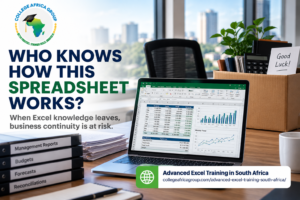
Advanced Excel skills are essential for business continuity when critical reporting processes depend on spreadsheets and the employees who understand them.
Many organisations rely on one highly experienced Excel user. This employee maintains complex formulas, consolidates financial information, prepares management reports and solves spreadsheet problems that others cannot.
Everything appears to work well until that employee resigns, retires or takes extended leave.
Suddenly, the business discovers that owning the spreadsheet files is not the same as understanding how they work.
The real problem is not losing a valuable employee. It is discovering that the organisation has failed to develop and distribute the Advanced Excel skills required to maintain essential business processes.
For executives, this creates a question worth examining: How much of your company’s reporting capability exists only in one employee’s head?
Why Advanced Excel Skills Matter for Business Continuity
Spreadsheets remain central to financial reporting, operational planning, forecasting and management decision-making.
However, not every employee who uses Excel possesses the Advanced Excel skills needed to maintain complex workbooks or investigate reporting errors.
An employee may know how to enter information, format worksheets and update existing reports without understanding the calculations behind them.
Another employee may be able to build sophisticated formulas but have little knowledge of the business assumptions used in financial reporting.
Both situations create risks.
The Difference Between Using Excel and Understanding It
Consider a finance department with six employees.
All six use Excel regularly. Four can update existing reports. Two understand PivotTables and lookup formulas. Only one knows how the monthly management report is assembled.
If that person leaves, the organisation may struggle to produce information that management previously received without difficulty.
The problem is not necessarily a shortage of Excel users.
It is a shortage of employees with the Advanced Excel skills and process knowledge needed to perform critical work independently.
This distinction should influence how executives approach employee development.
What Happens When Your Excel Expert Leaves?
Imagine a company that produces a monthly financial performance report.
The experienced Excel employee receives information from different departments, cleans the data, updates calculations, checks inconsistencies and prepares the final report.
Management sees the finished document, not the work behind it.
Then the employee resigns.
The replacement opens the workbook and finds numerous worksheets, external links, complicated formulas and unexplained manual adjustments.
Nobody can explain why certain figures are excluded or where particular values originate.
The organisation now faces several problems.
Reporting Delays
A report that previously took one working day may require several days while another employee reconstructs the process.
Greater Risk of Errors
Employees without the necessary Advanced Excel skills may accidentally overwrite formulas, use incorrect data ranges or fail to recognise calculation errors.
Reduced Management Confidence
Executives may receive reports without knowing whether the underlying information is accurate.
Higher Operating Costs
Additional overtime, external assistance or emergency training may be required to restore the reporting process.
These are not simply spreadsheet problems. They affect management decisions, productivity and business continuity.
Five Warning Signs Your Business Needs Stronger Advanced Excel Skills
Executives do not need to examine every formula personally.
They do need to recognise the warning signs that indicate a critical dependency.
1. One Employee Maintains Every Important Workbook
When one person controls all complex reporting processes, the organisation becomes vulnerable to their absence.
Developing Advanced Excel skills across additional employees reduces this dependency.
2. Employees Can Update Reports but Cannot Explain Them
A team member may be able to refresh a report without understanding how the calculations work.
This becomes dangerous when source data changes or a formula produces an unexpected result.
3. Manual Work Is Repeated Every Month
Employees may spend hours copying, cleaning and consolidating information.
Appropriate Advanced Excel skills can help identify where structured tables, improved formulas or Power Query could simplify the process.
4. Nobody Checks the Formulas
If reports are accepted simply because they look correct, spreadsheet errors may remain undetected.
Independent validation should be part of the reporting process.
5. There Is No Trained Backup Employee
Every critical reporting process should have at least one additional employee capable of completing it.
This requires both documented instructions and practical Advanced Excel skills.
Is the Real Problem Excel Training or a Poor Business Process?
One of the biggest mistakes organisations make is assuming that every spreadsheet problem can be solved by sending employees on a training course.
Training may be necessary, but it is not always sufficient.
Consider an employee who spends three hours each Friday combining information from several departmental workbooks.
The employee may already have strong Advanced Excel skills.
The real problem could be that the business process requires unnecessary manual copying, inconsistent data formats and repeated corrections.
Training alone will not remove these weaknesses.
The organisation first needs to understand the workflow.
Start With the Business Objective
Ask what information the report must provide and which management decisions depend on it.
Examine the Existing Process
Identify where information originates, how it is transferred and which activities require manual intervention.
Identify the Required Workplace Skills
Determine whether employees need stronger formulas, data analysis, reporting, modelling or automation capability.
Introduce Technology Where It Adds Value
Microsoft 365 tools, Power Query and AI may help improve the process, provided the underlying business requirements are understood.
Validate the Final Output
Reports must be checked against approved source data and business rules.
This is the College Africa Group approach: business objectives first, followed by processes, workplace skills, technology and human validation.
How Advanced Excel Skills Can Improve Business Reporting
The value of Advanced Excel skills extends beyond creating complicated formulas.
The objective is to help employees produce reliable information more efficiently.
Better Formula Management
Functions such as XLOOKUP, SUMIFS, IF and dynamic arrays can simplify calculations and improve the maintainability of reporting workbooks.
However, employees must understand which function is appropriate and how to test the results.
Improved Data Analysis
PivotTables, structured tables and analytical formulas help employees summarise large datasets and identify useful business information.
These Advanced Excel skills become particularly valuable when managers need consistent reports across departments or reporting periods.
More Efficient Data Preparation
Power Query can import, transform and combine information from multiple sources.
Microsoft’s documentation explains how Power Query records transformation steps and allows users to refresh data rather than repeat the same manual preparation process.
Microsoft Support: About Power Query in Excel
Stronger Spreadsheet Controls
Employees should know how to identify formula errors, check data sources and protect important calculations from accidental changes.
Microsoft provides guidance on protecting worksheet cells and formulas. Worksheet protection can reduce accidental editing, although it should not be treated as a complete security control.
Microsoft Support: Protection and Security in Excel
The business benefit comes from combining Advanced Excel skills with clear reporting procedures and appropriate controls.
read our latest press release published on MYPR
How Can Executives Identify an Advanced Excel Skills Gap?
Before approving a training budget, management should establish what employees can actually do.
Job titles and years of experience are not reliable measures of spreadsheet capability.
A practical assessment should reflect the tasks employees perform in their workplace.
Assess Critical Reporting Tasks
Identify the spreadsheets used for financial reporting, budgets, forecasting, inventory, operational performance and management decisions.
Prioritise the processes where an error or delay would create significant disruption.
Test Practical Capability
Ask employees to complete realistic exercises involving formulas, lookups, PivotTables, data cleaning and reporting.
The purpose is to identify which Advanced Excel skills are already present and which require development.
Evaluate Process Knowledge
An employee may understand Excel but not the organisation’s reporting rules.
Assess whether employees can explain data sources, assumptions, calculations and validation procedures.
Identify Backup Capability
Ask a second employee to produce a critical report using the available instructions.
Observe where they encounter difficulties.
This provides more useful evidence than simply asking whether employees are comfortable using Excel.
College Africa Group offers an Excel Skills Assessment to help organisations identify development needs.
The assessment should be used as a practical diagnostic rather than treated as a formal professional qualification.
A Practical Plan to Strengthen Advanced Excel Skills
Organisations do not need to redesign every spreadsheet immediately.
A structured improvement plan can begin with the five most important reports.
| Stage | Management action | Intended outcome |
|---|---|---|
| Identify | List critical spreadsheet-based processes | Understand business exposure |
| Assess | Evaluate employee capability and process knowledge | Identify skills and knowledge gaps |
| Document | Record sources, formulas, assumptions and checks | Make reporting repeatable |
| Develop | Build Advanced Excel skills in relevant employees | Reduce dependence on one person |
| Validate | Test reports against source data and approved rules | Improve confidence in outputs |
| Measure | Compare time, errors and backup capability | Demonstrate practical improvement |
Document the Process, Not Just the Spreadsheet
A workbook may contain every formula needed to calculate a result.
It does not necessarily explain why the business uses that calculation.
Documentation should include where data originates, which information is excluded, how exceptions are handled and who approves the final report.
Develop More Than One Capable Employee
Investing in Advanced Excel skills should create organisational capability, not another single expert.
For critical reports, at least two employees should understand the process and be able to complete it.
Test the Backup Arrangement
Ask the backup employee to complete the next reporting cycle independently.
Any problems encountered become useful evidence for additional training or process improvement.
Measure the Improvement
Compare the reporting process before and after the intervention.
Useful measures include reporting time, number of manual steps, errors requiring correction and the number of employees able to complete the process.
For example, if a monthly report previously required eight hours and depended on one employee, management can establish whether process improvements and stronger Advanced Excel skills have reduced the time and dependency.
Which Advanced Excel Skills Should Employees Develop?
Not every employee requires the same training.
A finance manager preparing forecasts has different requirements from an operations employee consolidating weekly performance information.
Training should therefore be matched to actual responsibilities.
Formulas and Reporting
Employees responsible for complex reports may need stronger skills in lookup functions, conditional calculations, structured references and formula auditing.
Business Modelling
Finance and management employees may need scenario analysis, forecasting techniques, sensitivity analysis and more reliable spreadsheet models.
Modern Excel 365
Experienced users may benefit from dynamic arrays, newer functions and improved methods for organising and analysing information.
Data Analysis and Preparation
Employees who repeatedly clean and consolidate data may benefit from Power Query, PivotTables and other reporting techniques.
The objective is to develop the Advanced Excel skills that directly support each employee’s work.
College Africa Group’s Advanced Excel Training pathway offers different learning options for reporting, business modelling, modern Excel and analytical work.
Can AI Replace Advanced Excel Skills?
Microsoft Copilot and ChatGPT can help employees explain formulas, suggest alternative calculations and explore ways to improve spreadsheets.
These capabilities can be useful, but they do not eliminate the need for Advanced Excel skills.
An AI assistant may suggest a formula that looks correct but references the wrong data range.
It may also misunderstand a reporting requirement or overlook an important business assumption.
If employees cannot identify these problems, the organisation risks producing incorrect information more efficiently.
AI Should Support Understanding, Not Replace It
A responsible approach is to begin with the business requirement, examine the source data, use the appropriate Excel method and validate the result.
Employees with strong Advanced Excel skills are better positioned to evaluate AI-generated suggestions.
This is particularly important in financial reporting, budgeting and other activities where errors may influence management decisions.
AI adoption should therefore complement workplace capability development rather than become a substitute for it.
Five Actions Executives Can Take This Month
Improving spreadsheet capability does not require a major technology project.
Start with five practical actions:
- Identify your five most important Excel reports. Determine which would cause the greatest disruption if they could not be produced.
- Confirm who understands each report. Identify the primary employee and a capable backup.
- Assess the team’s Advanced Excel skills. Focus on actual workplace tasks rather than job titles.
- Document one critical reporting process. Include source data, calculations, assumptions and checking procedures.
- Improve one recurring workflow. Measure the time, manual effort and errors before and after the change.
These actions help management establish whether the organisation has a genuine capability problem, a process problem or both.
They also provide a practical basis for deciding where training will deliver the greatest benefit.
Advanced Excel Skills Are a Business Continuity Investment
The loss of an experienced employee should not prevent an organisation from producing accurate management information.
Yet this can happen when critical reporting processes depend on undocumented knowledge and limited employee capability.
Developing Advanced Excel skills is one part of reducing that risk.
The organisation must also document important workflows, establish backup responsibility, simplify unnecessary manual work and validate its reports.
Technology can support these improvements, but it cannot replace sound business processes or accountable employees.
For CEOs, Finance Managers and HR Directors, the priority is not simply to create more Excel experts.
It is to ensure that essential business information remains available, reliable and understandable when employees change roles or leave.
Advanced Excel skills become most valuable when they strengthen the organisation’s capability rather than remain concentrated in one person.
How College Africa Group Can Help
College Africa Group helps organisations identify spreadsheet capability gaps, improve reporting practices and develop Advanced Excel skills through practical workplace training.
Our approach begins with the work employees need to perform and the business outcomes management expects.
Explore our Advanced Excel Training programmes, use our Excel Skills Assessment or contact College Africa Group to discuss your team’s requirements.
Frequently Asked Questions
Why are Advanced Excel skills important for business continuity?
Advanced Excel skills help employees maintain complex reports, investigate calculation errors and complete critical spreadsheet tasks when experienced colleagues are unavailable.
What happens when an organisation loses its most experienced Excel employee?
Reporting may be delayed, calculations may become difficult to maintain and employees may struggle to understand undocumented processes. Trained backup staff and clear instructions reduce this risk.
How can a company assess Advanced Excel skills?
Use practical assessments based on the employee’s responsibilities. These may include formulas, lookups, PivotTables, reporting, data preparation and error checking.
Which Advanced Excel skills are most useful for finance teams?
Finance teams often benefit from lookup functions, conditional calculations, PivotTables, formula auditing, forecasting and business modelling. The appropriate skills depend on the work performed.
Can Power Query reduce dependence on one Excel expert?
Power Query can make recurring data preparation more repeatable by recording transformation steps. However, employees must still understand the data sources, business rules and validation requirements.
Can Microsoft Copilot replace Advanced Excel skills?
No. Copilot may help employees create or explain formulas, but people remain responsible for interpreting requirements, checking calculations and validating outputs.
Should every employee attend the same Advanced Excel course?
No. Training should match existing capability and workplace responsibilities. An employee preparing financial models may require different skills from someone consolidating operational reports.
How can management measure the value of Advanced Excel skills training?
Compare reporting time, error rates, manual interventions and the number of employees capable of completing critical tasks before and after training.

You may also like