
This comprehensive Visual Basic for Applications Course builds on the grounding which was learnt in our Excel Advanced courses. The Visual Basic for Applications course will correctly show delegates how it is implemented in the Microsoft Office Suite. On completion, the delegates will be in the top 5% of Windows or Mac Excel users in Southern Africa.
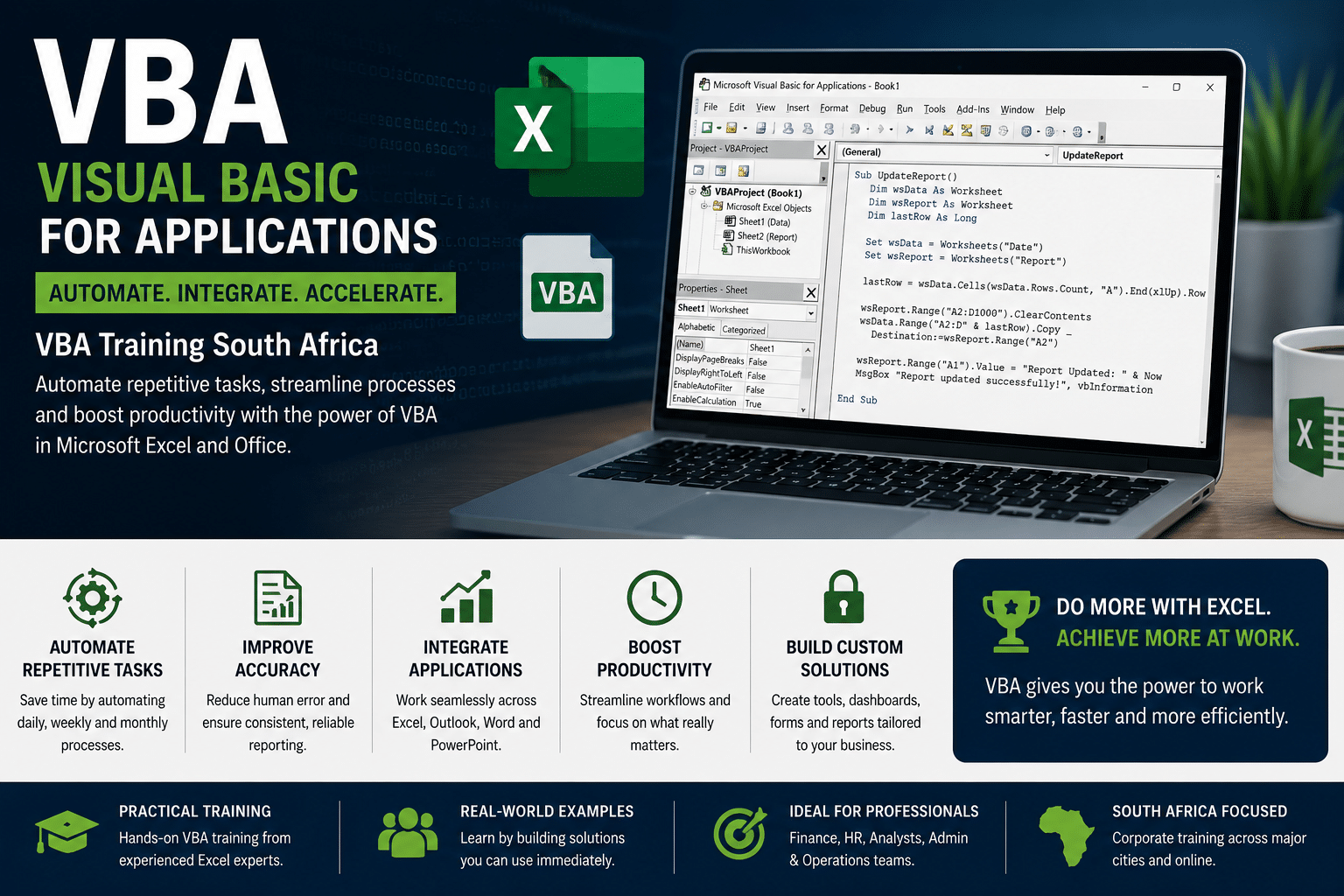 When to Use VBA and Why
There are three principal reasons to consider VBA programming in Office.
VBA Automation & Repetition
VBA is effective and efficient when it comes to repetitive solutions to formatting or correction problems. For example, have you ever changed the style of the paragraph at the top of each page in Word? Have you ever had to reformat multiple tables that were pasted from Excel into a Word document or an Outlook e-mail? Have you ever had to make the same change in multiple Outlook contacts?
If you have a change that you have to make more than ten or twenty times, it may be worth automating it with VBA. If it is a change that you have to do hundreds of times, it certainly is worth considering. Almost any formatting or editing change that you can do by hand, can be done in VBA. Extensions to User Interaction
There are times when you want to encourage or compel users to interact with the Office application or document in a particular way that is not part of the standard application. For example, you might want to prompt users to take some particular action when they open, save, or print a document.
VBA Interaction between Office Applications
Do you need to copy all of your contacts from Outlook to Word and then format them in some particular way? Or, do you need to move data from Excel to a set of PowerPoint slides?
Sometimes, simple copy and paste does not do what you want it to do, or it is too slow.
You can use VBA programming to interact with the details of two or more Office applications at the same time and then modify the content in one application based on the content in another.
Visual Basic for Applications – Doing Things Another Way
VBA programming is a powerful solution, but it is not always the optimal approach. Sometimes it makes sense to use other ways to achieve your aims.
The critical question to ask is whether there is an easier way. Before you begin a VBA project, consider the built-in tools and standard functionalities.
For example, if you have a time-consuming editing or layout task, consider using styles or accelerator keys to solve the problem. Can you perform the task once and then use CTRL+Y (Redo) to repeat it?
Can you create a new document with the correct format or template, and then copy the content into that new document?
Office applications are powerful; the solution that you need may already be there. Take some time to learn more about Office before you jump into programming.
Before you begin a VBA project, ensure that you have the time to work with VBA. Programming requires focus and can be unpredictable. Especially as a beginner, never turn to programming unless you have time to work carefully.
Trying to write a “quick script” to solve a problem when a deadline looms can result in a very stressful situation. If you are in a rush, you might want to use conventional methods, even if they are monotonous and repetitive.
© https://docs.microsoft.com/en-us/office/vba/library-reference/concepts/getting-started-with-vba-in-office
This is an intense three-day course, 09h00 to 15h30, which will provide the delegate with VBA skills that are required to AUTOMATE, INTERACT & DO THINGS ANOTHER WAY in the workplace. This course is a must for Executives or those who are ambitious.
Contact Arnold + 27 083 778 4903 or email sales@collegeafricagroup.com for VBA dates in your area?
Visual Basic for Applications Automation in the Modern Workplace
Visual Basic for Applications (VBA) remains one of the most powerful productivity tools available within Microsoft Excel. Organisations use VBA to automate repetitive tasks, reduce manual processing, improve reporting accuracy and save hundreds of hours of administrative effort each year.
While AI tools such as ChatGPT and Microsoft Copilot can help generate formulas, explain code and suggest automation ideas, VBA remains the technology that actually performs the automation inside Microsoft Excel and the wider Microsoft Office environment.
Many organisations combine Advanced Excel, Power Pivot and VBA skills to create powerful reporting, dashboard and workflow automation solutions.
Examples of VBA Automation
- Automating monthly management reports
- Creating one-click dashboard refresh processes
- Importing and consolidating data from multiple files
- Generating invoices and reports automatically
- Sending Outlook emails from Excel
- Automating data validation and quality checks
- Building custom forms and data capture solutions
- Reducing repetitive spreadsheet tasks
For many businesses, VBA delivers one of the fastest productivity returns available within Microsoft Office because it removes repetitive manual work and improves consistency across reporting processes.
Benefits of Excel Visual Basic for Applications Automation
Many organisations use Visual Basic for Applications to eliminate repetitive tasks and improve productivity across finance, administration, HR and operational departments.
Read our article:
5 Best Benefits When You Automate With VBA
to learn how automation can save time, improve reporting accuracy and reduce manual spreadsheet work.
Great VBA resources
Frequently Asked Questions About VBA Training
What is VBA in Excel?
VBA (Visual Basic for Applications) is Microsoft’s programming language used to automate tasks, build custom solutions and improve productivity within Excel and other Microsoft Office applications.
Who should attend Visual Basic for Applications training?
VBA training is ideal for finance professionals, analysts, administrators, HR staff, managers and anyone who performs repetitive Excel tasks.
Can VBA work with Outlook and Word?
Yes. VBA can automate processes across Excel, Outlook, Word and PowerPoint, making it a powerful business productivity tool.
Is VBA still relevant with AI and Copilot?
Yes. AI can help generate VBA code, but VBA remains one of the most effective ways to automate business processes inside Microsoft Office.
This courses will prepare the delegate for more advanced Visual Basic for applications three DAY COURSE. The delegate receives a manual and an electronic attendance certificate on completion of the relevant Visual Basic for applications three DAY COURSE.
We almost run on demand as we try to accommodate the client’s work schedule when possible. Contact Arnold + 27 083 778 4903 or email sales@collegeafricagroup.com for dates in your area?
ON and OFFSITE training are offered. See our Specials for Gauteng & KZN, other areas call Arnold 083 7784903. Offsite includes teas, light lunch, and an electronic attendance certificate. Group discounts apply. ONSITE, YOUR VENUE, minimum of three delegates attending simultaneously. Prices on request.
Excel
Excel Guru
MS Office