
Copilot vs ChatGPT in Excel: AI Data Errors Explained
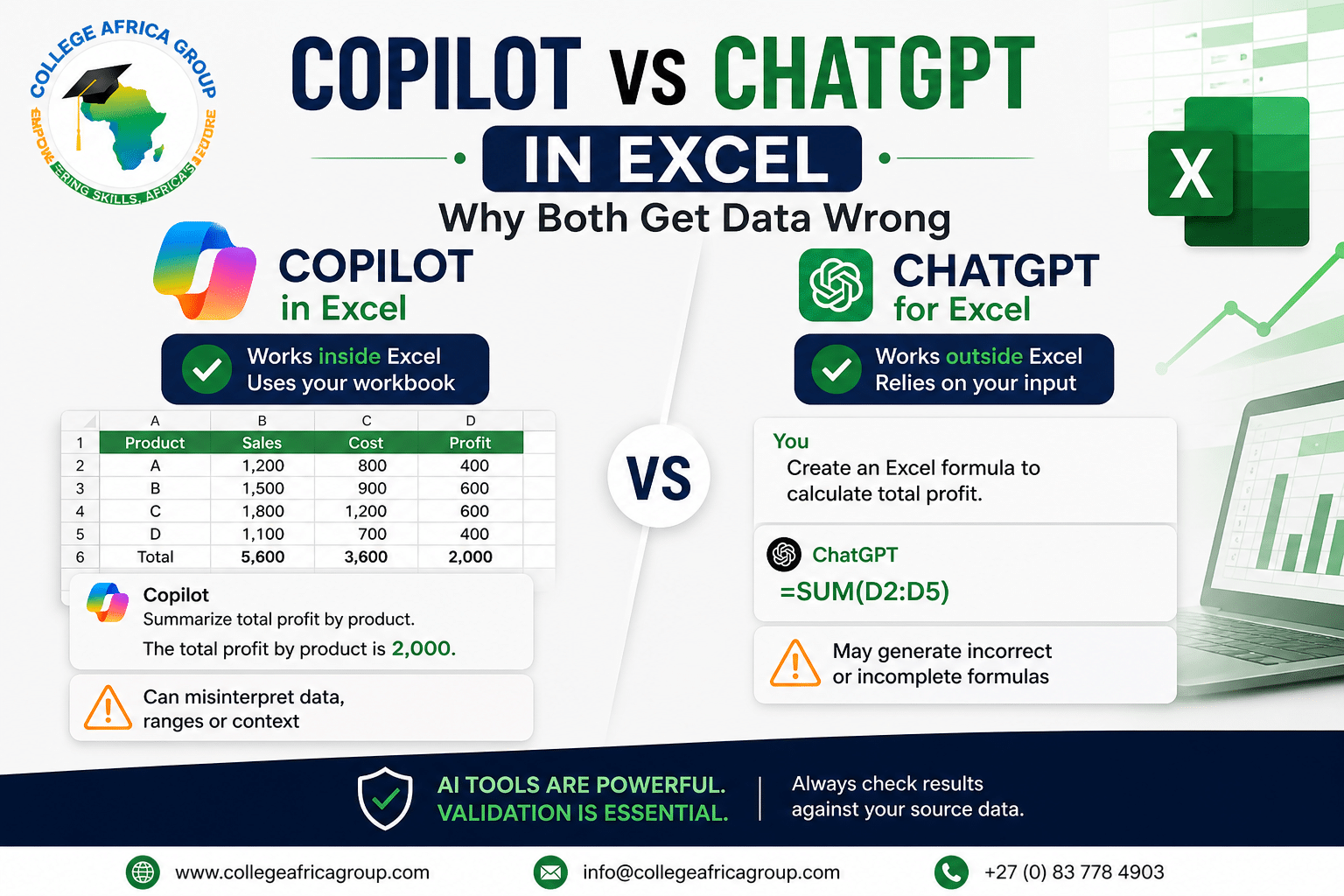
Copilot vs ChatGPT in Excel: Why Both Get Data Wrong
 As organisations adopt artificial intelligence tools, the comparison of Copilot vs ChatGPT in Excel has become increasingly relevant. Both tools can improve productivity, but they also introduce risks that are often overlooked.
To understand the broader context, it’s important to review the types of errors in Excel that commonly occur when using AI tools.
AI produces language — not truth.
Before comparing Microsoft Copilot and ChatGPT in Excel, it is important to understand the broader risks associated with AI-generated spreadsheet outputs. In our previous article, “AI Is Getting Excel Wrong — Here’s What to Check”, we explain why AI-generated summaries and calculations can appear correct while still containing significant errors.
You can also explore our detailed guide on the “Types of Errors in Excel” to understand how issues such as incorrect ranges, missing data, formula mistakes, and duplicated values can become more difficult to detect when AI tools are involved.
Copilot vs ChatGPT in Excel (Key Differences)
- Copilot: Works within Excel and interacts with your workbook
- ChatGPT: Works externally and relies on user-provided data
- Copilot: Can suggest formulas and summaries
- ChatGPT: Can explain logic and generate solutions
While both tools are powerful, neither guarantees accuracy.
Why Copilot Gets Excel Data Wrong
- Misinterprets structured data
- Uses incorrect ranges
- Relies on last saved version
- Produces static outputs instead of formulas
These issues often relate directly to common types of errors in Excel such as incorrect references and missing data.
Why ChatGPT Gets Excel Data Wrong
- Cannot see your actual workbook
- Relies on assumptions about your data
- May generate plausible but incorrect formulas
- Provides confident explanations even when incorrect
This makes validation critical when using ChatGPT for Excel-related tasks.
Copilot vs ChatGPT: Which Is More Reliable?
Neither tool should be considered fully reliable without validation.
Copilot has the advantage of working within Excel, but it is still dependent on data quality and structure. ChatGPT can assist with logic and explanations, but it does not verify real data.
The most effective approach is to use both tools as assistants, while relying on Excel for validation.
In many organisations, the real risk is not the AI tool itself but how quickly outputs are accepted without review.
When comparing Copilot vs ChatGPT Excel, both tools can generate results that appear structured and professional, increasing the likelihood that users will trust them without validation.
This is where common types of errors in Excel can go unnoticed — especially when summaries, averages, or calculations are generated automatically.
A simple validation step, such as reconciling totals against source data or checking whether formulas were used, can prevent small errors from becoming larger business issues.
How to Validate Excel Outputs from AI
- Check totals against source data
- Confirm formulas are used instead of static values
- Review assumptions made by AI
- Test calculations manually
In a corporate environment, validation is not optional — it is essential.–
Workplace Impact of AI Errors in Excel
In finance, HR, and operations, incorrect Excel outputs can lead to significant business risks. AI tools can accelerate processes, but they can also amplify errors if used incorrectly.
Understanding the types of errors in Excel and how AI tools behave is critical for maintaining data accuracy.
Corporate Excel and AI Training and understanding the benefits of enrolling in a Microsoft Office course
College Africa Group (CAG) provides practical training in Excel, Microsoft Copilot, and AI in the workplace.
Additional Articles in the Series with Free Download Guides
FAQ Content Copilot vs ChatGPT in Excel
H2: Copilot vs ChatGPT Excel FAQs
Q1: What is the difference between Copilot and ChatGPT in Excel?
Copilot works inside Excel and interacts directly with your workbook, while ChatGPT works externally and relies on user-provided data and prompts.
Q2: Why do Copilot and ChatGPT get Excel results wrong?
Both tools generate outputs based on patterns and assumptions. They can misinterpret data, use incorrect ranges, or provide answers that look correct but are not validated.
Q3: Is Copilot more accurate than ChatGPT in Excel?
Copilot can be more accurate because it works within Excel, but it still depends on data structure and user validation. Neither tool should be trusted without verification.
Q4: Can AI replace Excel skills?
No. Strong Excel skills are still required to validate outputs, understand formulas, and ensure data accuracy.
Q5: How do you validate Excel outputs from AI?
Check totals against source data, confirm formulas are used instead of static values, and review assumptions made by the AI tool.
Q6: When should you use Copilot vs ChatGPT in Excel?
Use Copilot for in-Excel tasks like summaries and analysis, and ChatGPT for explanations, logic, and formula guidance.
📞 +27 (0) 83 778 4903
📧 sales@collegeafricagroup.com
For official Excel guidance, refer to Microsoft’s
Excel help and learning resources.
For additional AI context, see
Microsoft Copilot documentation.
⚖️ This solution is designed to remain POPIA-appropriate when implemented correctly. It does not access, share, or store personal data.

You may also like
Is AI Delivering Operational or Strategic Value?

Is Your Confidential Data Safe in Free AI Tools?