
Excel Basic Training South Africa
Excel Basic Training South Africa gives employees the practical foundation they need to work confidently and accurately with everyday spreadsheets.
This one-day, instructor-led Microsoft Excel Basic course is designed for beginners, occasional Excel users and self-taught employees who may use Excel at work but have gaps in their fundamental skills.
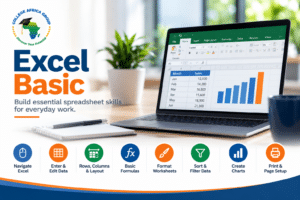
The course concentrates on practical workplace capability, including:
* Entering and organising information
* Creating simple formulas
* Using core Excel functions
* Formatting worksheets
* Sorting and filtering business data
* Creating charts
College Africa Group provides corporate Excel training throughout South Africa and Southern Africa through on-site and instructor-led virtual delivery.
Not sure whether employees need Basic or a higher Excel level? Use the Excel Skills Assessment as a practical guide for training placement.
Who Should Attend Excel Basic Training South Africa?
Microsoft Excel Basic is suitable for employees who need a structured foundation before progressing to more advanced spreadsheet work. It is particularly useful for employees who use Excel occasionally, have learned informally or need greater confidence with everyday business spreadsheets.
- Administrative and support employees
- HR and payroll support staff
- Finance and accounts support staff
- Operations employees
- Project administrators
- Sales support staff
- Personal and executive assistants
- Self-taught Excel users with gaps in their knowledge
- Employees preparing to progress to Excel Intermediate
Basic computer literacy is recommended. No previous formal Excel training is required.
Excel Basic Course Objectives
By the end of the course, delegates should be able to:
- Navigate confidently within Excel worksheets and workbooks
- Enter, edit, move, copy and organise spreadsheet information
- Create, open and save workbooks correctly
- Use AutoFill and other basic productivity features
- Create simple arithmetic formulas and understand calculation order
- Use core functions including SUM, AVERAGE, MIN, MAX and COUNT
- Format numbers, text, cells, rows and columns professionally
- Sort and filter basic business data accurately
- Create and edit simple charts
- Prepare worksheets for printing and distribution
What Is Covered in Microsoft Excel Basic?
The revised course follows a practical progression from working confidently in Excel through to basic calculations, data organisation, charts and printing.
Download the Excel Basic table of contents
1. Introduction to Excel
- Introduction to spreadsheets and the Excel screen
- Navigating within a worksheet and workbook views
- Creating, opening and saving workbooks
- Using Excel Help where appropriate
2. Entering and Editing Data
- Entering, editing and deleting information
- AutoComplete and AutoFill
- Working with blocks or ranges of cells
- Moving and copying information
- Working with the Office Clipboard
3. Rows, Columns and Worksheet Layout
- Adjusting column width and row height
- Inserting and deleting rows and columns
- Basic worksheet organisation
- Using cell styles and Format Painter
4. Basic Excel Formulas and Functions
- Understanding formulas and using cell references in simple calculations
- Basic arithmetic operators and calculation order
- Creating simple custom formulas
- Using SUM and AutoSum
- Using AVERAGE, MIN, MAX and COUNT
- Accessing built-in Excel functions
5. Formatting Worksheets
- Changing fonts and font sizes
- Cell borders and fill colours
- Aligning, indenting, rotating and wrapping text
- Formatting numbers, dates, currency and percentages
- Applying consistent worksheet formatting
6. Sorting and Filtering Data
- Sorting text, numbers and dates
- Sorting A-Z, Z-A, smallest to largest and largest to smallest
- Applying and clearing basic filters
- Filtering by selected values
- Recognising how blank rows and columns can disrupt a data range
At Basic level the emphasis is on straightforward sorting and filtering. More advanced data organisation, custom filters and Excel Tables are developed in Excel Intermediate.
7. Charts
- Creating a simple chart from worksheet data
- Selecting an appropriate basic chart type
- Moving and sizing charts
- Editing chart titles, labels and chart elements
- Formatting chart text and numbers
- Printing charts
8. Printing and Page Setup
- Previewing a workbook before printing
- Changing orientation and margins
- Setting and clearing the print area
- Working with page breaks and print titles
- Scaling worksheets to fit
- Adding headers and footers
- Printing worksheets
Practical Workplace Application of Excel Basic
The purpose of Excel Basic training is not simply to learn where buttons are located. Delegates need to use the fundamentals correctly when working with real business information. Practical exercises can use straightforward workplace examples such as attendance registers, employee or supplier lists, expense tracking, stock lists, simple reporting worksheets and basic totals.
A typical exercise may require a delegate to enter and clean information, calculate totals, apply suitable number formatting, sort or filter the data, create a simple chart and prepare the worksheet for printing. This brings several basic skills together in one realistic task.
Why Sorting and Filtering Belong in Excel Basic
Sorting and filtering are everyday spreadsheet skills. Employees often work with lists of customers, suppliers, employees, transactions or stock long before they need advanced formulas. The Basic course therefore introduces simple sorting and filtering while also teaching delegates to recognise common structural problems such as blank rows or columns that can break a data range.
Intermediate Excel develops this further with stronger dataset design, multi-level sorting, custom filters and Excel Tables.
One-Day Corporate Excel Basic Training
Duration: One day
Typical training time: 09:00 to approximately 15:30
Delivery: Onsite or instructor-led virtual training
Level: Basic/ Beginner / foundation
Requirements: Basic computer literacy and access to Microsoft Excel
Materials: Electronic training manual and practical exercises
Certificate: Electronic attendance certificate
Excel Skills Assessment Before Training
Employees do not always fit neatly into labels such as beginner, intermediate or advanced. Someone may have used Excel for years but still struggle with formulas, data ranges, sorting, filtering or spreadsheet accuracy.
The College Africa Group Excel Skills Assessment provides a practical indication of whether an employee should strengthen their Basic Excel foundation or may be ready for a higher-level course. It is a training-placement guide rather than a formal Microsoft certification or competency examination.
Progress From Excel Basic to Intermediate and Advanced Excel
Excel Basic is the foundation of the College Africa Group Excel training pathway. Employees who are comfortable with the skills on this course can progress to Excel Intermediate – Formulas, Data & Everyday Reporting and then into the Advanced Excel pathway and specialist Excel training.
The progression is deliberate: build reliable spreadsheet foundations first, strengthen formulas and everyday data handling at Intermediate level, and then move into advanced reporting, modelling, modern Excel 365 and specialist analysis.
Excel Basic Training for Corporate Teams Across South Africa
College Africa Group specialises in corporate training for organisations rather than mass-market public classes.
Excel Basic can be delivered onsite for groups or virtually through instructor-led sessions. Training is available throughout South Africa and Southern Africa, including Johannesburg, Cape Town, Durban and other locations by arrangement.
Where organisations have employees with mixed capability levels, assessment before training can help create more appropriate groups and reduce the risk of placing employees on a course that is too basic or too advanced.
Frequently Asked Questions – Excel Basic Training South Africa
Who is Excel Basic suitable for?
The course is designed for beginners, occasional Excel users and self-taught employees who need a stronger and more structured foundation for workplace spreadsheets.
How long is the Excel Basic course?
The programme is one full day, typically from approximately 09:00 to 15:30.
What formulas are taught in Excel Basic?
Delegates learn simple arithmetic formulas together with core functions including SUM, AVERAGE, MIN, MAX and COUNT. More advanced formulas are introduced at higher levels.
Does Excel Basic include sorting and filtering?
Yes. Delegates learn straightforward sorting and basic filtering, together with how worksheet structure and blank rows or columns can affect a data range.
Does the course include charts?
Yes. Delegates learn to create, move, size, edit and format simple charts based on worksheet data.
Can employees be assessed before training?
Yes. The College Africa Group Excel Skills Assessment can help indicate whether an employee should strengthen their Basic Excel foundation or may be ready for a higher-level course.
Can Excel Basic be delivered onsite?
Yes. College Africa Group provides onsite corporate Excel training as well as instructor-led virtual delivery.
What comes after Excel Basic?
The recommended next step is Excel Intermediate – Formulas, Data & Everyday Reporting, followed by the Advanced Excel pathway where appropriate.
Enquire About Excel Basic Training
Planning Excel training for your employees? Tell us your team size, current Excel capability, preferred delivery method and training objectives.
Call: 083 778 4903
WhatsApp: Chat to College Africa Group on WhatsApp
Email: sales@collegeafricagroup.com